ECS Series Manual — P/N LS10262-001FK-E:A 3/3/2021 31
Installing the FIK-50W Device Installation
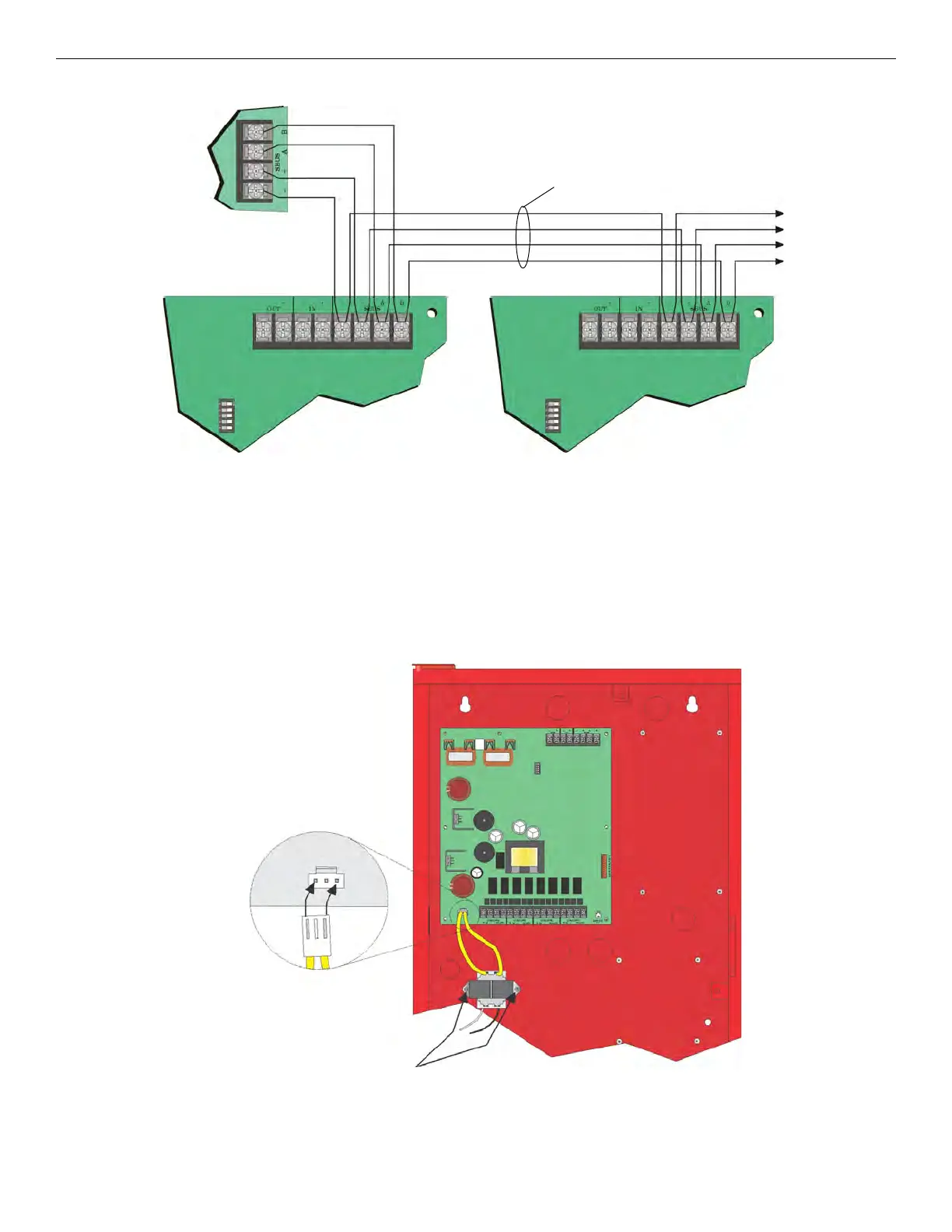
Figure 4.18 Connecting Multiple FIK-50Ws to the SBUS
See Section 4.11 for information on setting SBUS addresses.
4.3.7 Connecting AC Power
The AC inputs are rated as 120 VAC, 60 Hz (transformer P/N 115061).
To install the AC transformer into the FIK-50W cabinet follow these steps:
1. Open the cabinet door.
2. To access cabinet interior, open dead-front panel by removing the upper screw and the mid-door retaining screw.
3. Mount the transformer onto the threaded cabinet transformer mounting studs using the supplied locking hex nuts as shown in Figure
4.19.
Figure 4.19 Transformer Mounting
Supervised
power limited
Control
Panel
To next
FIK-50W
(Max. 8)



 To Next Page