ECS Series Manual — P/N LS10262-001FK-E:A 3/3/2021 37
Speaker Wiring Device Installation
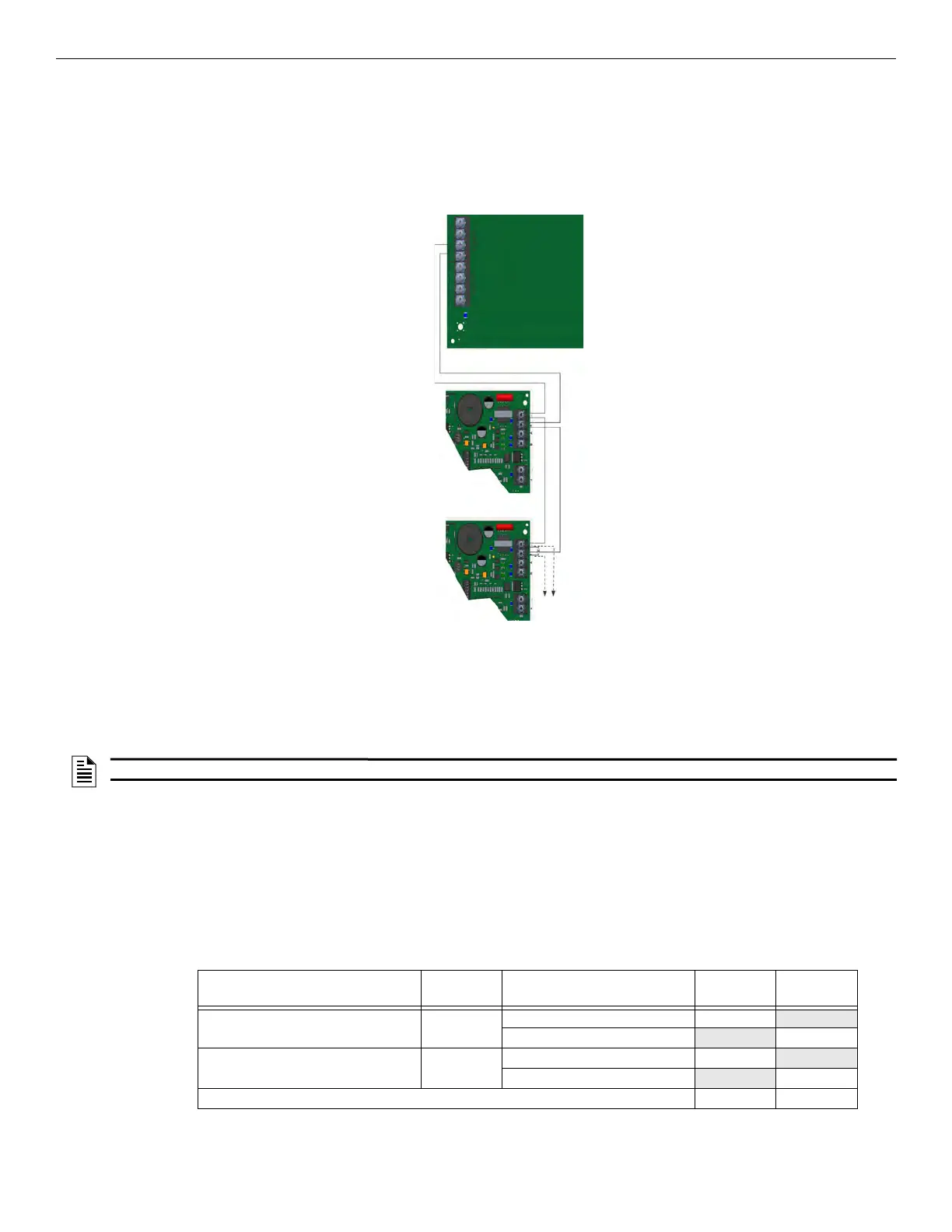
4.4.3 VBUS Wiring
The VBUS is an analog voice bus that carries the recorded voice messages from the FIK-NVCM to the FIK-INT50Ws, or the voice mes-
sages generated from a system microphone to the FIK-INT50W.
The maximum resistance on the VBUS is 20Ω.
Connect the VBUS from the FIK-NVCM to the FIK-INT50W as shown in Figure 4.28.
Figure 4.28 VBUS Wiring for FIK-NVCM
4.4.4 Setting the Device Address
Use the onboard DIP switches to select an ID number for the FIK-INT50W. Refer to Figure 4.67 to set the DIP switches for the desired ID
number.
Once the ID number is set, you must add the FIK-INT50W to the system through programming.
4.5 Speaker Wiring
Each FIK-INT50W supplies one circuit for speaker connection. The speaker circuit can be supervised and wired Class B or Class A. The
speaker circuit is capable of 50 watts of power at 25 Vrms or 70.7 Vrms. See Section for wire lengths.
4.5.1 Calculating Current Draw and Standby Battery
This section helps you determine the current draw and standby battery needs for your installation. Complete the remaining instructions in
Table 4.2.
Batteries larger than 18 AH will not fit in the main control cabinet, and must be housed in the RBB Accessory Battery Cabinet. Maximum of
33 Amp Hours per system.
FIK-NVCM
FIK-INT50W
FIK-INT50W
NOTE: The FIK-INT50W is powered by a NAC. It will not be found using JumpStart AutoProgramming.
Device
No. of
Devices
Current Per Device
Standby
Current
Alarm
Current
FIK-INT50W 25V 1 Standby: 52 mA 52mA
Alarm: 275 mA 275mA
FIK-INT50W 70V 1 Standby: 52 mA 52mA
Alarm: 310 mA 310mA
A Current Subtotals: mA mA
Table 4.2 Current Draw Calculations



 To Next Page