10
MAIN MENU ACCESS
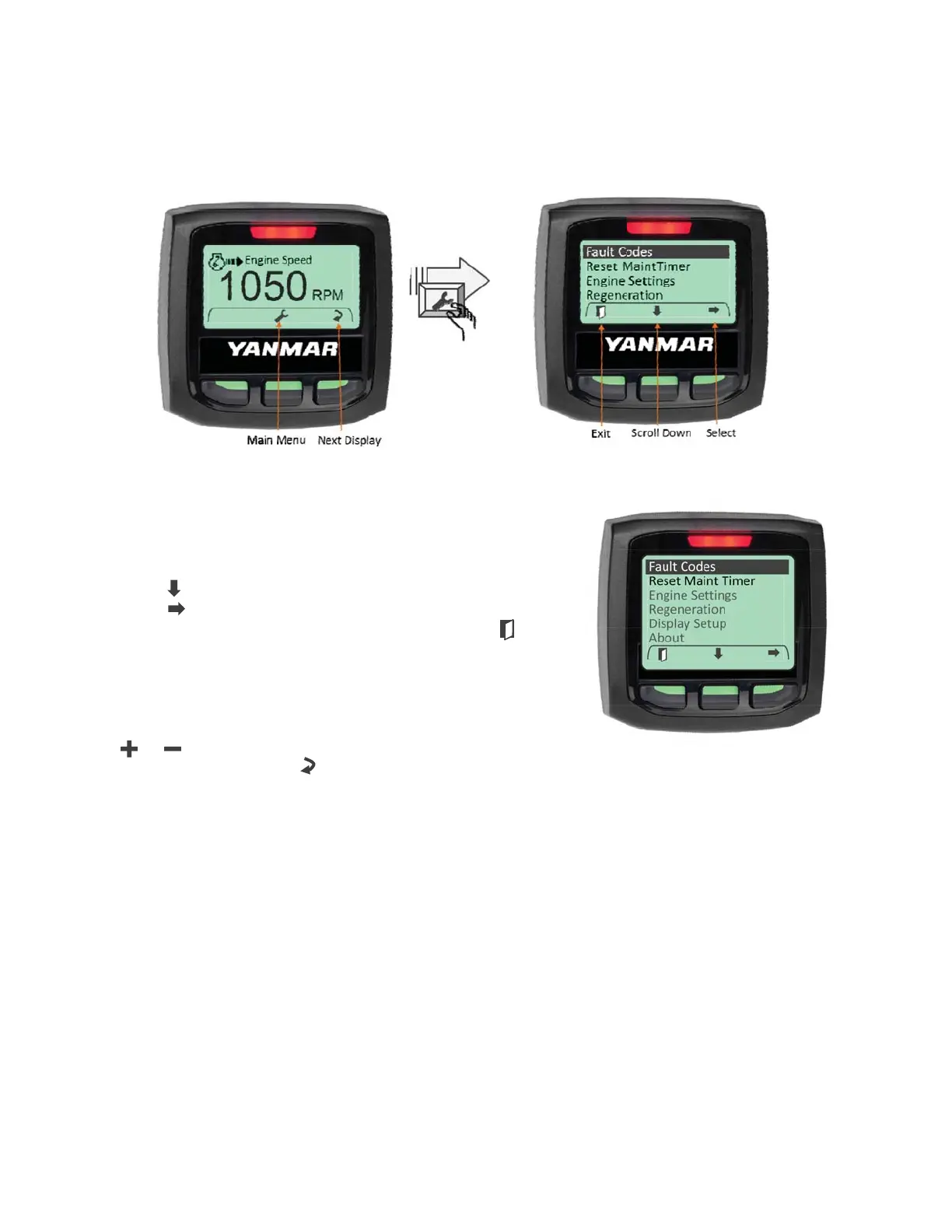
To access the Main Menu, press any of the three navigation buttons. The unit will display a
softkey popup window defining the available navigation possibilities. Select the Main Menu using
the center softkey as shown.
MAIN MENU NAVIGATION
Access the main menu using the center softkey. The main
menu will be displayed along with the main menu softkey
popup window. Navigate through the main menu selections by
using the “
” key. When the desired menu item is highlighted,
press the “
” key to select the menu item. To exit the main
menu and return to the data displays press the EXIT “
”
softkey.
CHANGING PARAMETER SETTINGS
Parameter settings can be changed in one of two ways: using
the “
” / “ ” softkeys to increase or decrease a numeric
value or using the Change “
” softkey to toggle through a list
of programmed settings.


 To Next Page