16
ENGINEERING UNITS
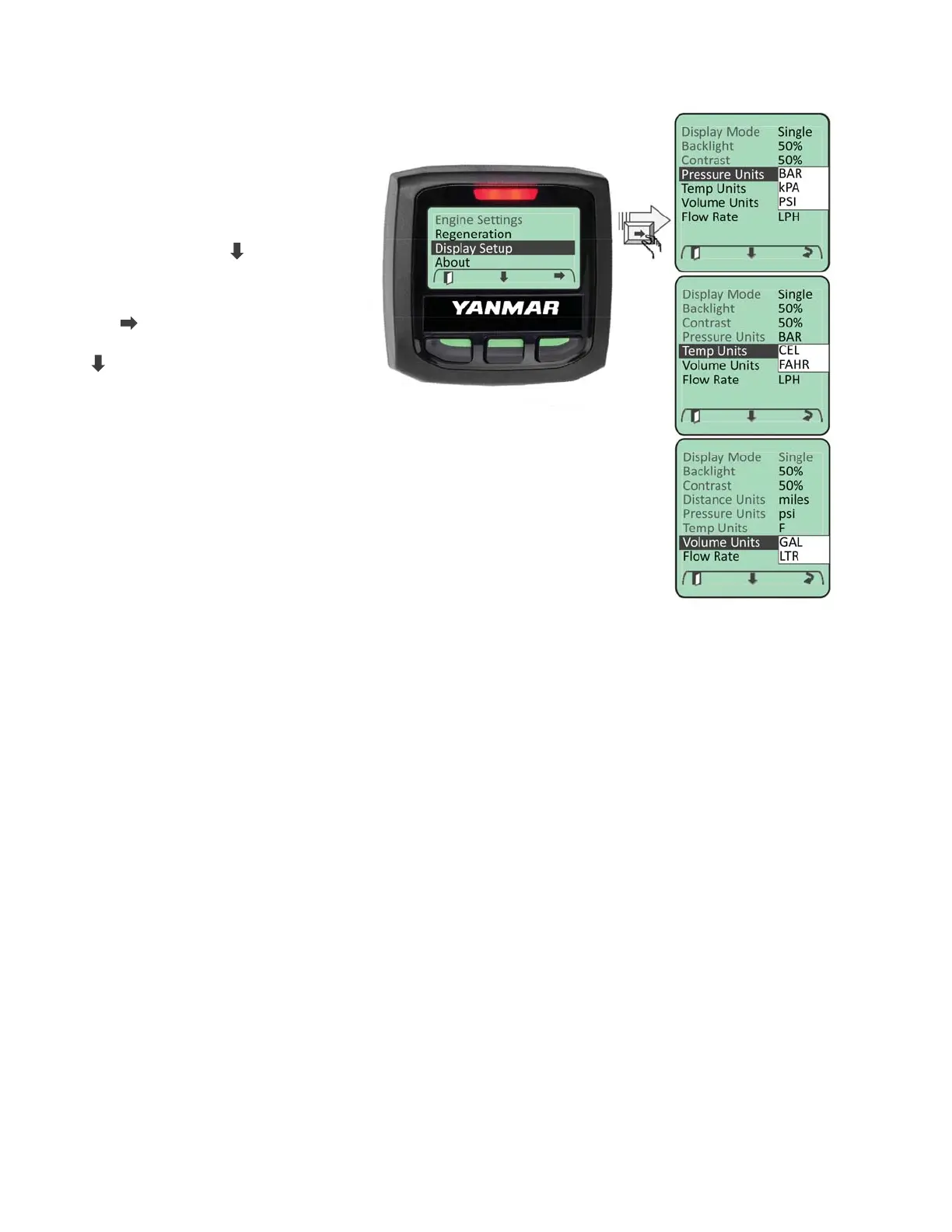
Displayed engineering units
can be configured for Pressure,
Temperature and Volume. To
access the engineering unit’s
settings, enter the Main Menu.
Navigate to the “Display Setup”
menu entry using “
” softkey.
When highlighted enter the
Display Setup menu by selecting
the “ ” softkey. Navigate through
the “Display Setup” menu using
“
” softkey until the desired
engineering unit’s parameter is
highlighted.
Choose the desired parameter
setting by cycling through the list
of choices using the change soft
key.



 To Next Page