36
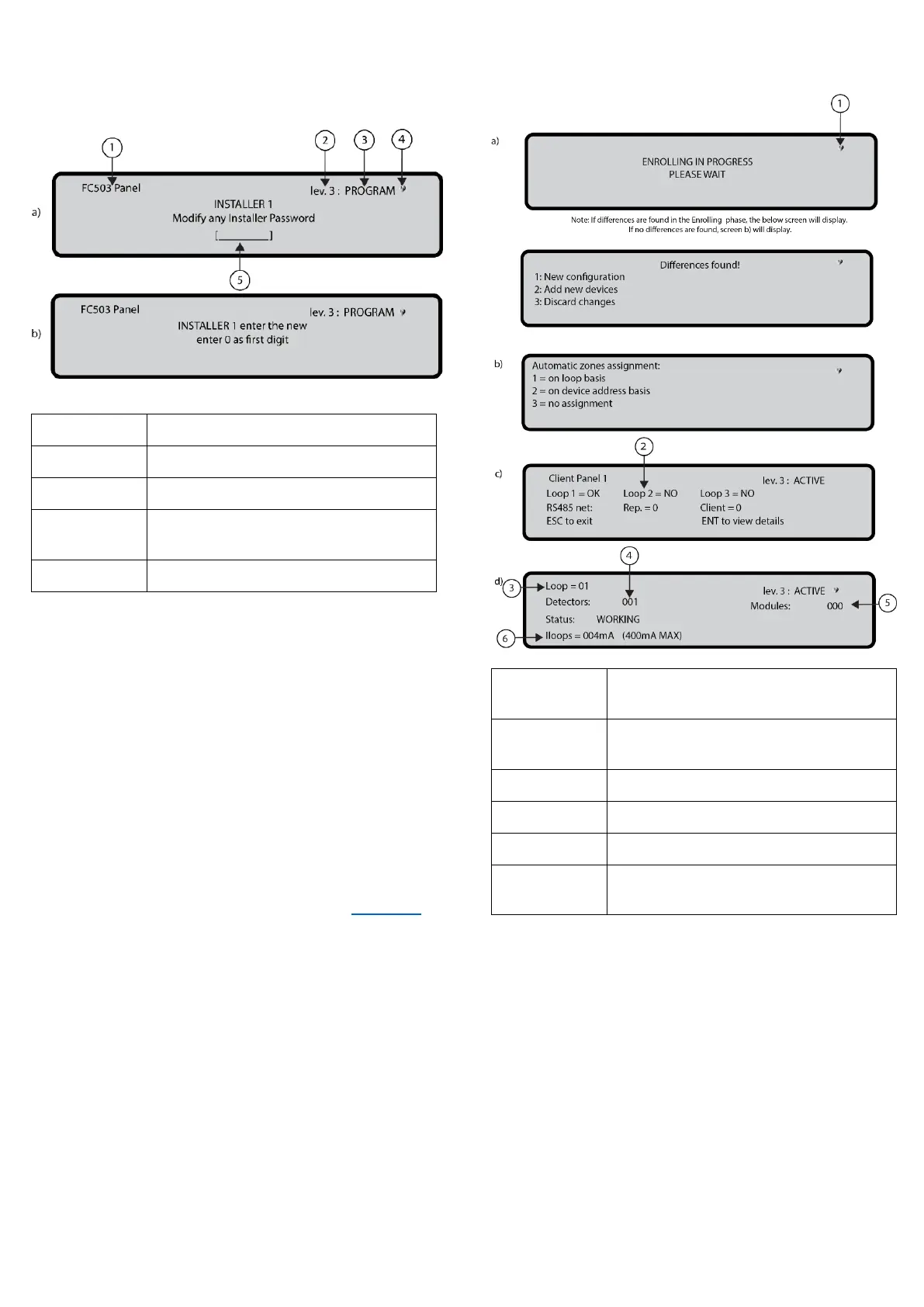
Figure 22: Modify password screen
If blinking, control panel working
properly
Auto
Use the Auto option from the PROGRAM menu to enroll
the loop devices and the RS485 network devices
automatically for repeater FC500.
The Auto option consists of three main phases:
1. Auto-enrolling
2. Auto-addressing
3. Devices mapping.
1 Key- Auto-enrolling (auto-learning)
Auto-enrolling (auto-learning) can be done during the
installation phase and after changes of the loop and
network configurations.
Use the 1 Key to select the Auto option. See Figure 23.
Figure 23: Auto scan results screen
If blinking, control panel working
properly
List of present loop with the autoscan
result
Value of the current in the three loops,
in real time. Data is updated every 5 s.
In this phase the keypad and keys have the following
functions:
Alphanumeric keypad
No function is related to the alphanumeric keypad.
Cursor keys
No functions are related to the Up, Down, Right, or Left
keys.



 To Next Page