50
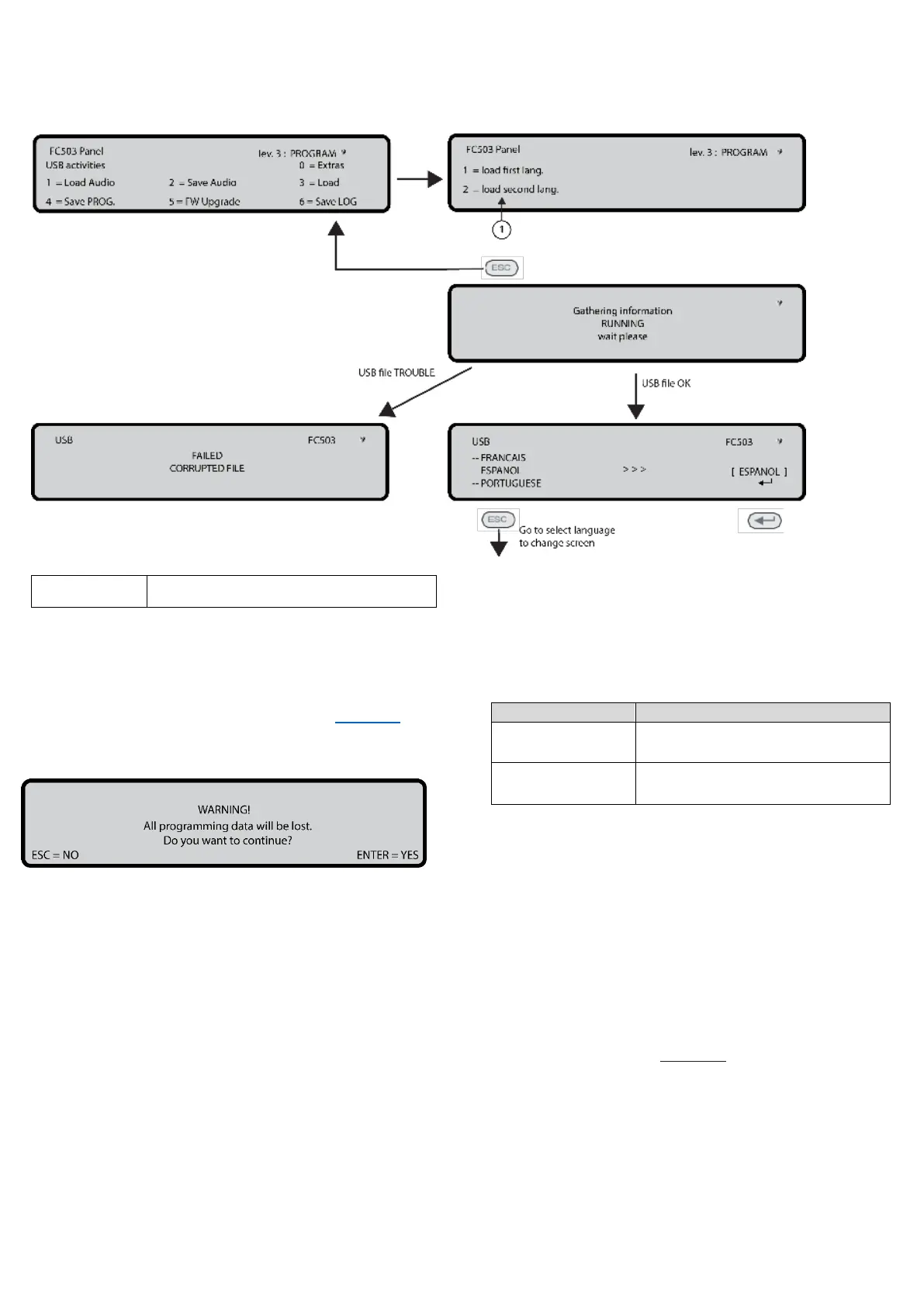
Figure 36: Language strings download during panel run time
9 Key- Restore default
Use the Restore default option from the PROGRAMMING
menu to restore the default setting.
Use the 9 Key to select restore default. See Figure 24,0
Figure 37: Restore Default
In this phase the keypad and keys have the following
functions:
Alphanumeric keypad
No function is related to the alphanumeric keypad.
Cursor keys
No functions are related to the Up, Down, Right, or Left
keys.
ESC and ENTER keys
Table 55: ESC and ENTER key function in restore
default
Use to cancel the operation or
return to the previous screen
Use to start the default settings
restore procedure
Note: If the motherboard of the panel is connected with a
FC500IP module, the procedure to restore factory Default
(9 key) will have no effect. To restore the FC500IP module
to factory default refer to the procedure for the FireClass
FC500 (FC501_FC503_FC506) Console software.
FC500 repeater address
After the FC503 or FC506 control panels have been
connected, the FC500 repeater will verify the presence of
the address and its conformity at the first start-up. If the
address is correct, the repeater will start to work. If the
address is not correct, you will need to enter a new
address. The display on Figure 38 will be shown.
In this phase the keypad and keys have the following
functions:
Alphanumeric keypad
Use the alphanumeric keypad to insert the 1 digit address.



 To Next Page