HF2211 Serial Server Device User Manual
http://www.iotworkshop.com - 13 -
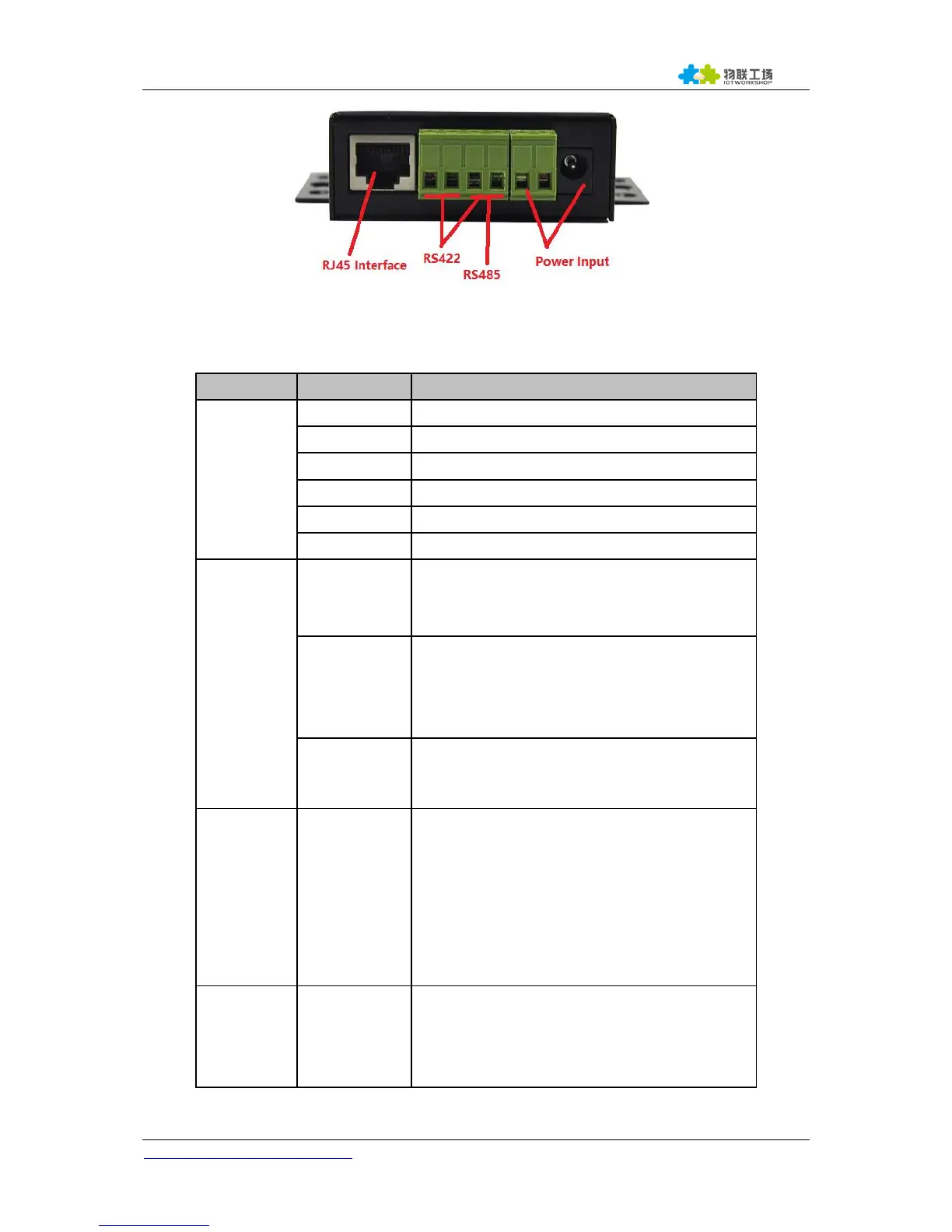
Figure 3. HF2211 Side View
Table 2. HF2211 Interface Definition
DC Power 5~36V Input or 9~50VDC
Internal Power Supply Indicator
On:Power is OK
Off:Power is NG
Connection Indicator
On: Ethernet connection or Wi-Fi STA
connection is OK
Off: No Ethernet connection
Data transfer Indicator
On:Data is transfering.
Off:No data transfer
Restore to factory setting
Long press this button for 3seconds and loose
it to restore parameters to factory setting.
Note:
This button of early product is just restart. The
hardware has been modified to factory setting
now.
Device parameter protect
On: Enable protect, working parameter can not
be modified.
Off: Disable protect.


 To Next Page