HF2211 Serial Server Device User Manual
http://www.iotworkshop.com - 26 -
3.3.3. Ethernet Port Function(Bridge)
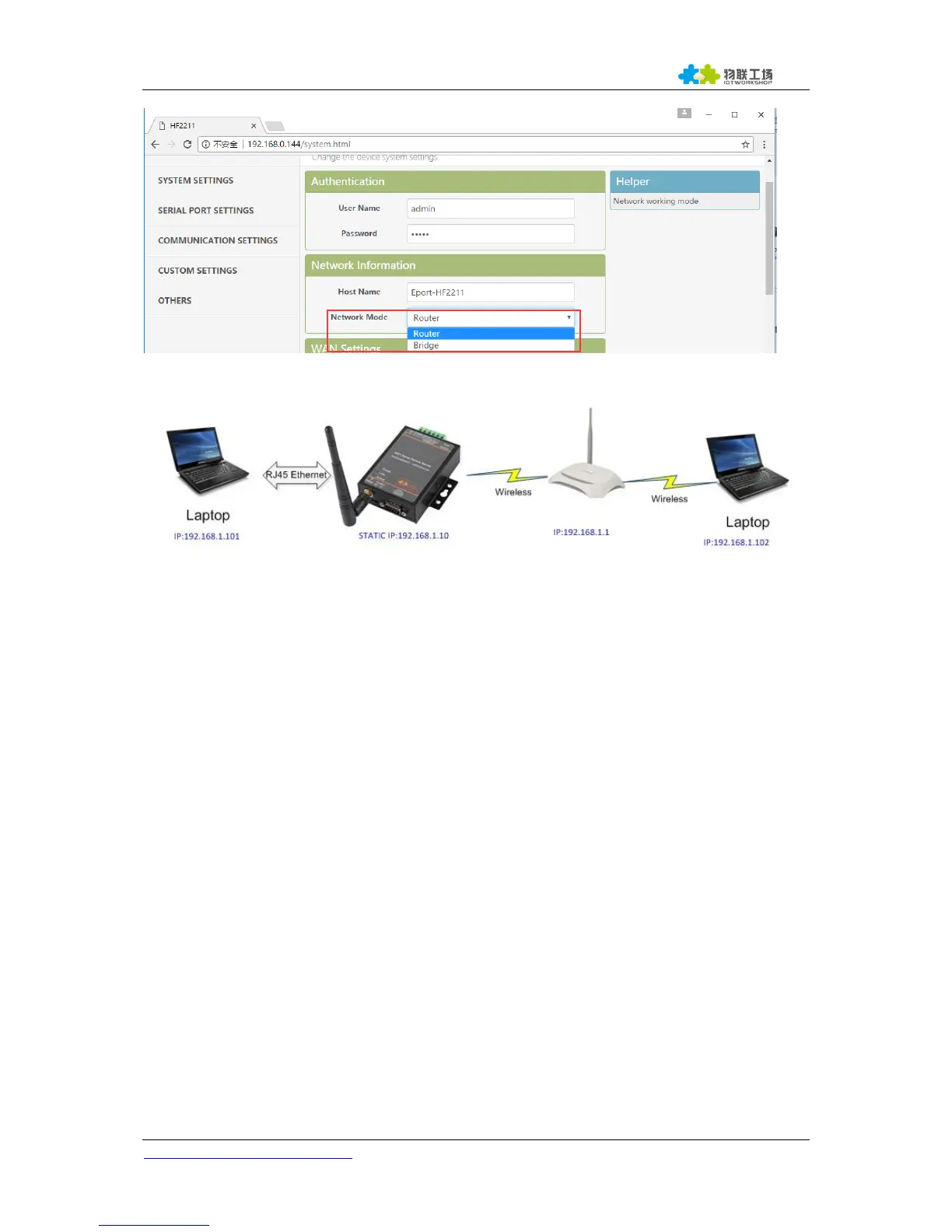
Figure 22. Ethernet Port Function(Bridge)
The HF2211 device Ethernet interface work in router mode. When connect to router, it will get IP
address from router(as picture 192.168.1.101). AT the whole network, the product is like an invisible
device. PC1 ad PC2 can communicated mutually without any constraint. But if product needs to
connect with other devices, it needs set LAN IP address(192.168.1.10 as picture)
Notes:
Webpage, IOTService, or Cli command to set working mode, by default is router mode. It need
reboot when change its working mode.


 To Next Page