Flora Digital Printing System
Model LJ320P
Copyright 2011@ Shenzhen Runtianzhi Image Technology Co.,Ltd. By Victor Xu
~29~
As warning happened, Click “flood ” check box in the soft ware!
4.5.3 Purge and Flush individually
Individual purge system allows for easy convenient respective maintenance of print head,
which will help saving ink also.
If the machine doesn’t work for more than 3 days, flush all the print heads with solvent is
recommended. And when the nozzles are blocked seriously, flush is also available.
These two functions are available on this flora machine.
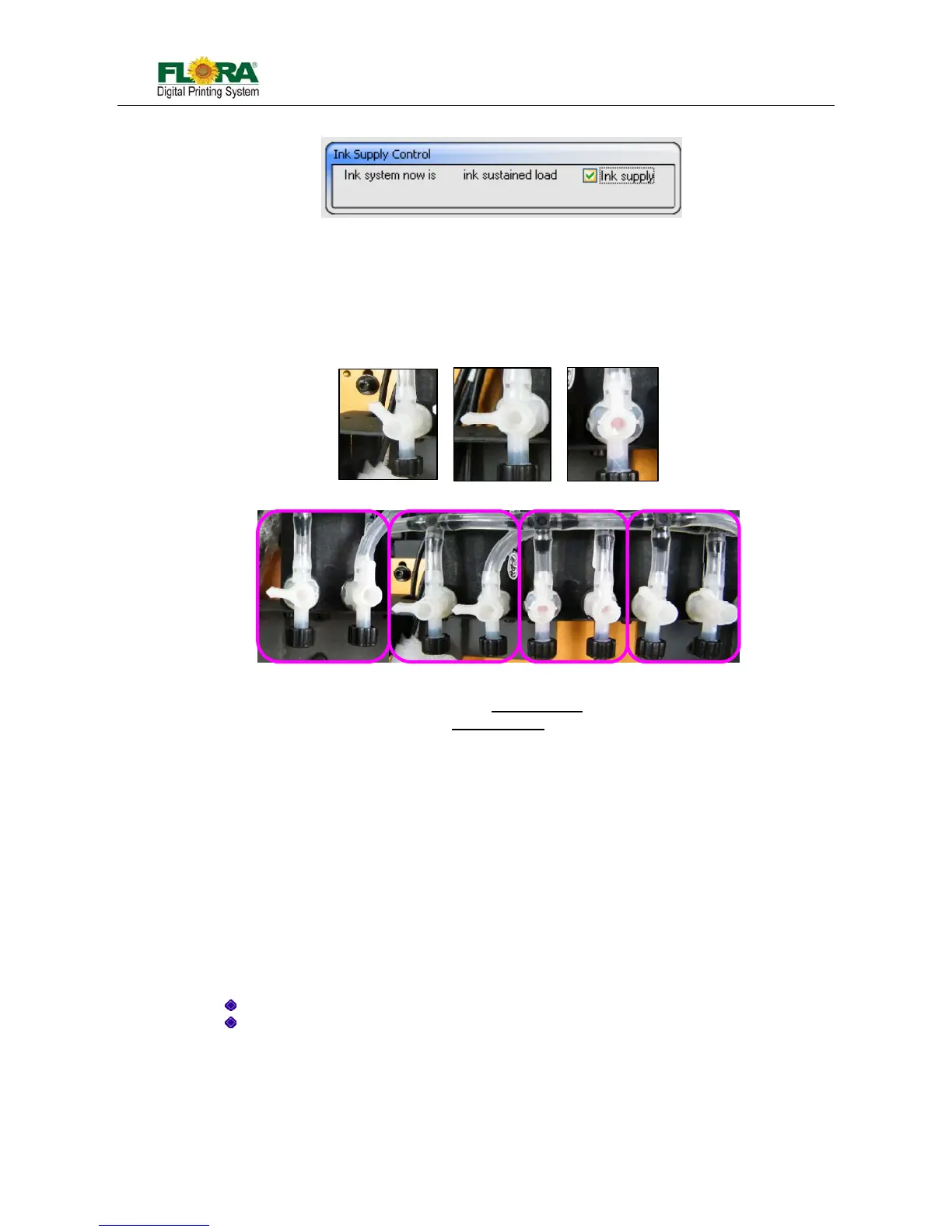
Notice: The valve must be turned with the correct Valve Key.
Situation needs to prime:
¾ Load ink
¾ Some nozzles not work or blocked
Situation needs to flush:
¾ Many nozzles are blocked
¾ Before you don’t want to use machine for long
¾ Before you load ink after long time no using the machine
Principle of air exhaust is like injecting water into one tube. After water was injected into the
tube from one side, bubble will be pushed out from the other side.
¾ Exhaust when there is some bubble in the tube。
Note: Whatever prime, flush or purge, perform it one color at one time. Turn off the other ink
valves. This can make sure that there is big enough pressure..
4.5.4 Negative Pressure System
Negative pressure system is used to hold the ink from dripping out of the print head nozzles.
Pressure settings varied on every machine. The recommended setting range is from -2.3 to -2.7Kpa.
Too low negative pressure setting will result to ink dripping or print head cannot jet ink.
Too high negative pressure setting will cause ink starving over time and ink overflow in the
negative pressure line system.
4.5.5 Overflow Protection Function
Ink protection tank serves as the ink overflow protection for the vacuum line system. If overflow
happens, the ink will flow into this tank, once the ink reaches the maximum level, the sensor will shut
off the print head control board. Without the ink protect tank, the vacuum system will fail to function if
Fig. 4.5.3.1: Ink Tank Valve
(312-0010-031)
Close



 To Next Page