Flora Digital Printing System
Model LJ320P
Copyright 2011@ Shenzhen Runtianzhi Image Technology Co.,Ltd. By Victor Xu
~35~
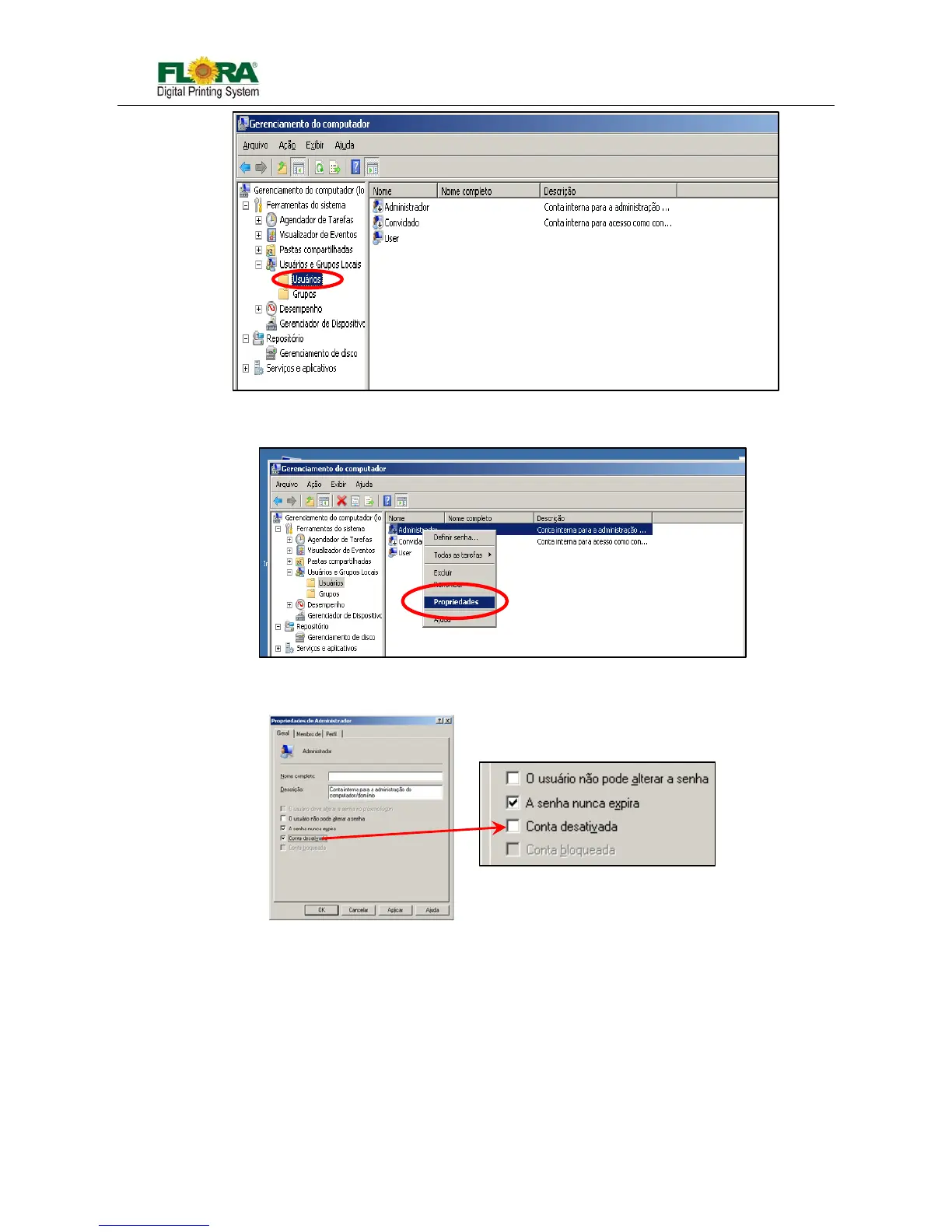
3) Click “User” folder, you will find Account in the left windows as above;
4) Right click on “Administrator”, Choose “Proprieties” and click it;
5) 【Administrator Proprieties Windows】 will come out. Activate the account by un-tick the check
box as below;
6) click “Apply” and “OK”, then finished
5.3.1 Install PhotoPRINT Server Flora Edition 6.1v2
7) Turn-on the Main Power to give power to the PC and Monitor.
8) Insert the CD supplied with the machine with label PhotoPrint 6.1V2 for the necessary
installation.
9) Then screen will prompt you with 【Choose Setup Language】 window; Select which language
you will use. Then click “OK”. Starting 【InstallShield Wizard…. 】



 To Next Page