Flora Digital Printing System
Model LJ320P
Copyright 2011@ Shenzhen Runtianzhi Image Technology Co.,Ltd. By Victor Xu
~37~
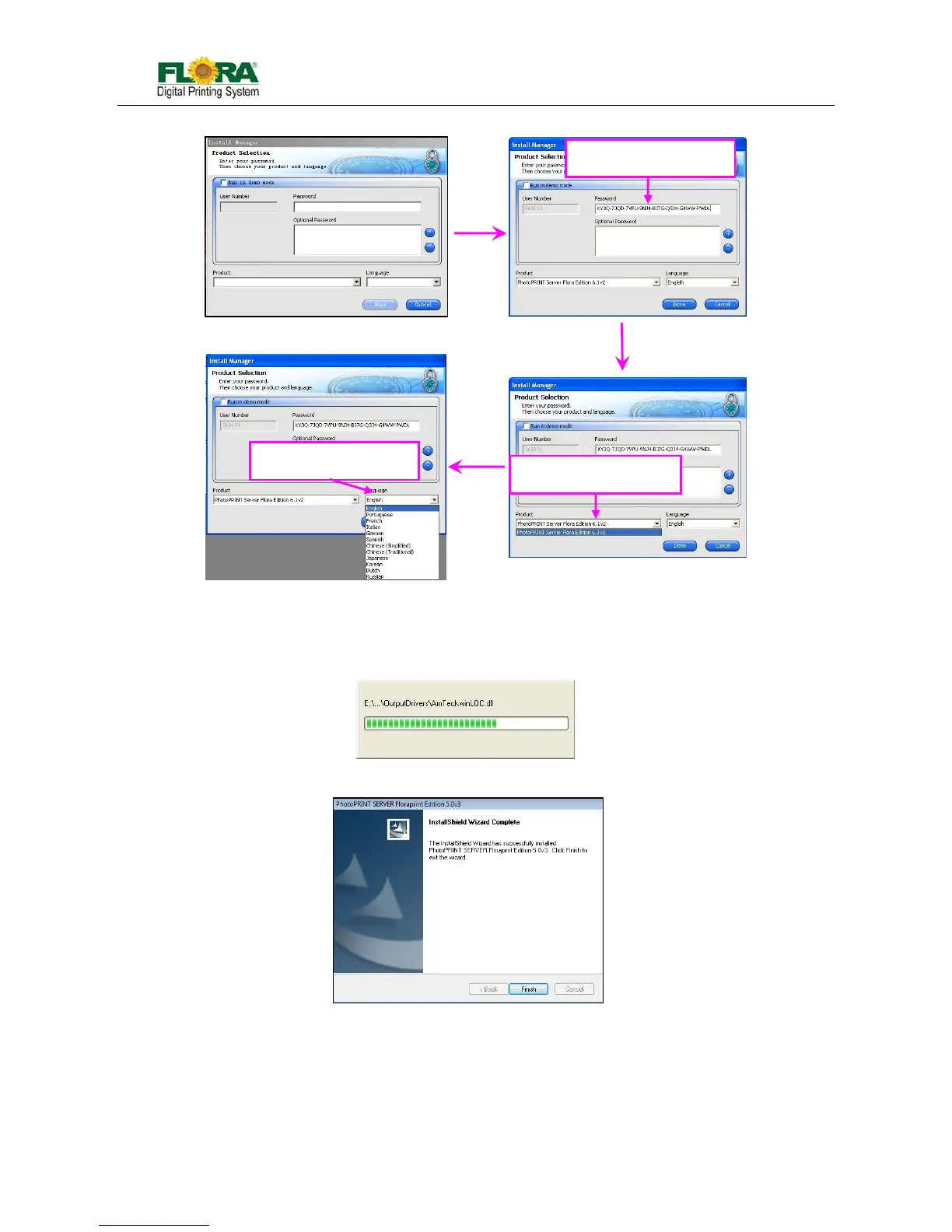
14) Un-tick the “Install to desktop” selection on 【Install Manager】 window. Then click “OK”.
15) 【Start Copying Files】 window will appear. Click “Next”.
16) Click “Next”, software files will now start to install.
17) Click “Finish” after completing the successful installation.
5.3.2 Install Flora Driver
1) Insert the Flora Driver. From the list of Folder under Print Driver, select corresponding machine
model (Eg: Flora_3208P_3204P_NewUsb_8heads_V1.1.1.1 for 6.12(2011.06.02).exe). Then
double-click the setup file;
Enter your password
Select your language



 To Next Page