Flora Digital Printing System
Model LJ320P
Copyright 2011@ Shenzhen Runtianzhi Image Technology Co.,Ltd. By Victor Xu
~65~
can insure high-precision carriage moving and paper feeding .
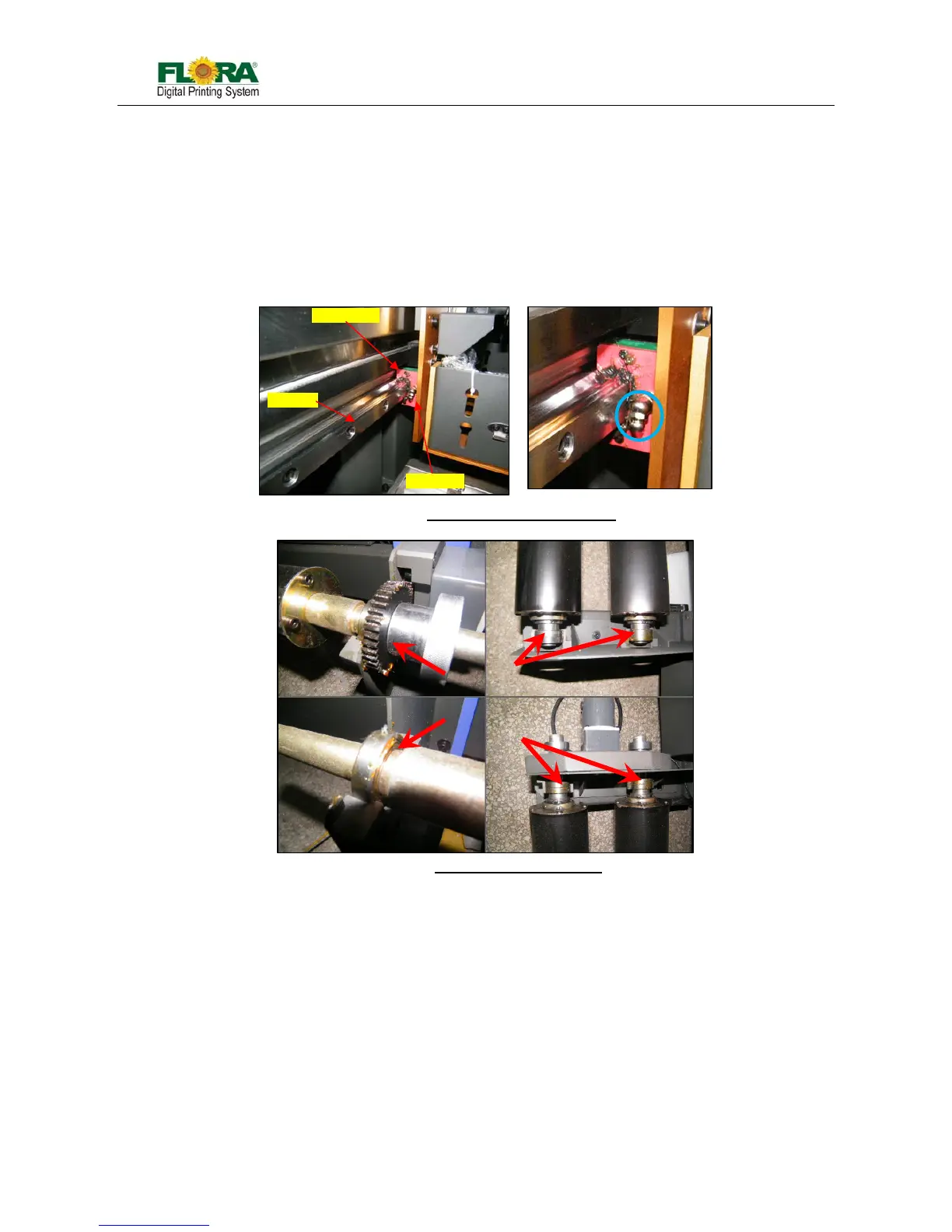
z Clean and lubricate the print head carriage rail on a weekly basis, apply enough light duty
grease or oil in the contact area
z Clean and lubricate slide bearing, ball bearings for timing belt pulleys, gears and ball
bearing for automatic take up/feeding system on a weekly basis.
z Periodically check the tension of all timing belts, adjust them if necessary.
z Check the screws on moving parts, assemblies and those that fix the carriage bumper on
the rail. Tighten them if necessary.
7.5 Adjust Timing Belt Tension
Carriage timing belt can be adjusted through the two Tension Adjusting Bolts installed at the left end
of the carriage rail.
a) Open the left side cover of the machine ,you can see a driven pulley fixed as below figure Loosen up
the Lock Nut
b) Turning the Tension Adjusting Bolts clockwise will tighten the tension while turning it counter
clockwise will loosen up the tension. The Timing Belt should be ideally stay in the middle portion of
the Pulley.
Fig. 7.4-2: Take-up & Feeding Asse.
Fig. 7.4-1: Slider Bearing & Rail Guide
Slider Bearin



 To Next Page