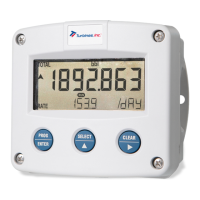
User Manual F012-P
Page 2 FW_F012-P_M_v0501-01_EN
TABLE OF CONTENTS
1 ABOUT THIS MANUAL............................................................................................................ 4
1.1 How to use this manual .................................................................................................. 4
1.2 Use of pictograms........................................................................................................... 4
1.3 Warranty and technical support ...................................................................................... 4
1.4 Model Reference ............................................................................................................ 4
2 SAFETY.................................................................................................................................... 5
2.1 Personal safety ............................................................................................................... 5
2.2 End-user responsibilities................................................................................................. 5
2.3 Potential equipment damage .......................................................................................... 5
2.4 Disposal of electronic waste ........................................................................................... 5
3 INTRODUCTION....................................................................................................................... 6
3.1 System description ......................................................................................................... 6
3.2 Product features ............................................................................................................. 6
3.2.1 General characteristics................................................................................................... 6
3.2.2 Input................................................................................................................................ 6
3.2.3 Options ........................................................................................................................... 7
3.3 Installation example ........................................................................................................ 7
4 OPERATION............................................................................................................................. 8
4.1 Introduction ..................................................................................................................... 8
4.1.1 Operating modes ............................................................................................................ 8
4.2 Control panel .................................................................................................................. 8
4.2.1 Display............................................................................................................................ 8
4.2.2 Backlight (Type ZB) ........................................................................................................ 9
4.3 Displayed information ..................................................................................................... 9
4.3.1 Flow rate and total or flow rate ....................................................................................... 9
4.3.2 Clear total ....................................................................................................................... 9
4.3.3 Accumulated total ........................................................................................................... 9
4.4 Operator alarms.............................................................................................................. 9
4.4.1 Low battery ..................................................................................................................... 9
4.4.2 Internal error ................................................................................................................... 10
5 CONFIGURATION.................................................................................................................... 11
5.1 Introduction ..................................................................................................................... 11
5.2 Configuring using SETUP mode..................................................................................... 11
5.2.1 Entering SETUP mode ................................................................................................... 11
5.2.2 Navigating the SETUP menu.......................................................................................... 11
5.2.3 Changing configuration settings ..................................................................................... 12
5.2.4 Returning to Operator Mode........................................................................................... 12
5.3 SETUP menu overview................................................................................................... 13
5.4 SETUP menu explanations............................................................................................. 13
5.4.1 Menu 1: Total ................................................................................................................. 13
5.4.2 Menu 2: Flow rate .......................................................................................................... 14
5.4.3 Menu 3: Display ............................................................................................................. 15
5.4.4 Menu 4: Power management ......................................................................................... 16
5.4.5 Menu 5: Flowmeter ........................................................................................................ 16
5.4.6 Menu 6: Others .............................................................................................................. 16
6 INSTALLATION........................................................................................................................ 18
6.1 Installation / environmental conditions............................................................................ 18
6.2 Handling the F012-P enclosure ...................................................................................... 19
6.2.1 Identification.................................................................................................................... 19
6.2.2 Opening, assembling and closing the F-Series .............................................................. 20
6.3 Mechanical installation.................................................................................................... 22
6.3.1 Mechanical dimensions .................................................................................................. 22
6.3.2 Mounting the F-Series .................................................................................................... 24
6.4 Electrical installation ....................................................................................................... 25
6.4.1 Electrical safety............................................................................................................... 25
6.4.2 Protective earth (PE) connections .................................................................................. 25
6.4.3 Field wiring connections ................................................................................................. 26
6.4.4 Power supply .................................................................................................................. 27
6.4.5 Sensor supply................................................................................................................. 27



 To Next Page