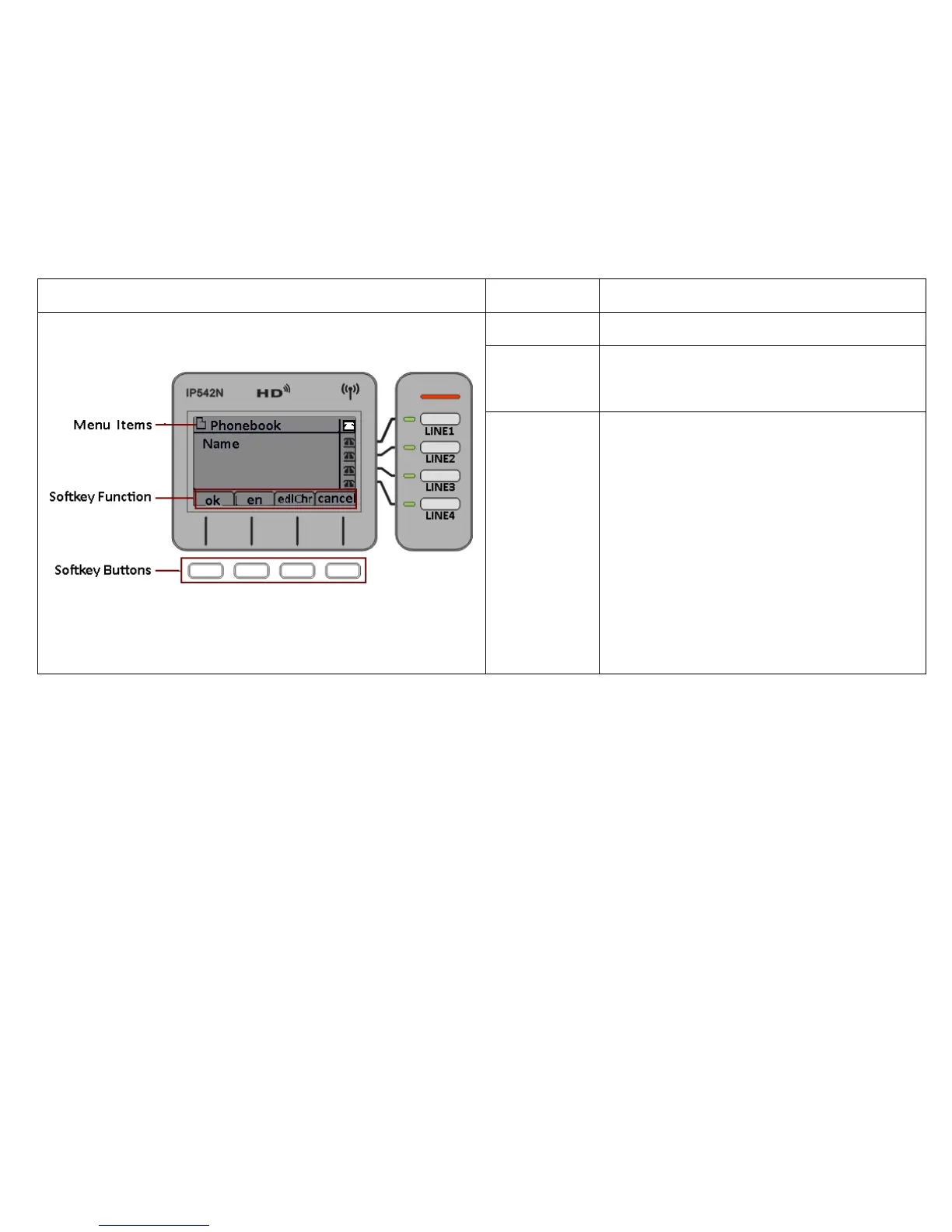
Menu Items To display the items of menu.
Softkey
Function
To display the current softkey function.
Softkey Buttons
The softkey’ function depends on their
corresponding content displayed on the LCD at that
time.
Take the left picture for example:
Press the first softkey button to choose ok
Press the second softkey button to choose en
Press the third softkey button to choose delChr
Press the fourth softkey button to choose cancel



 To Next Page