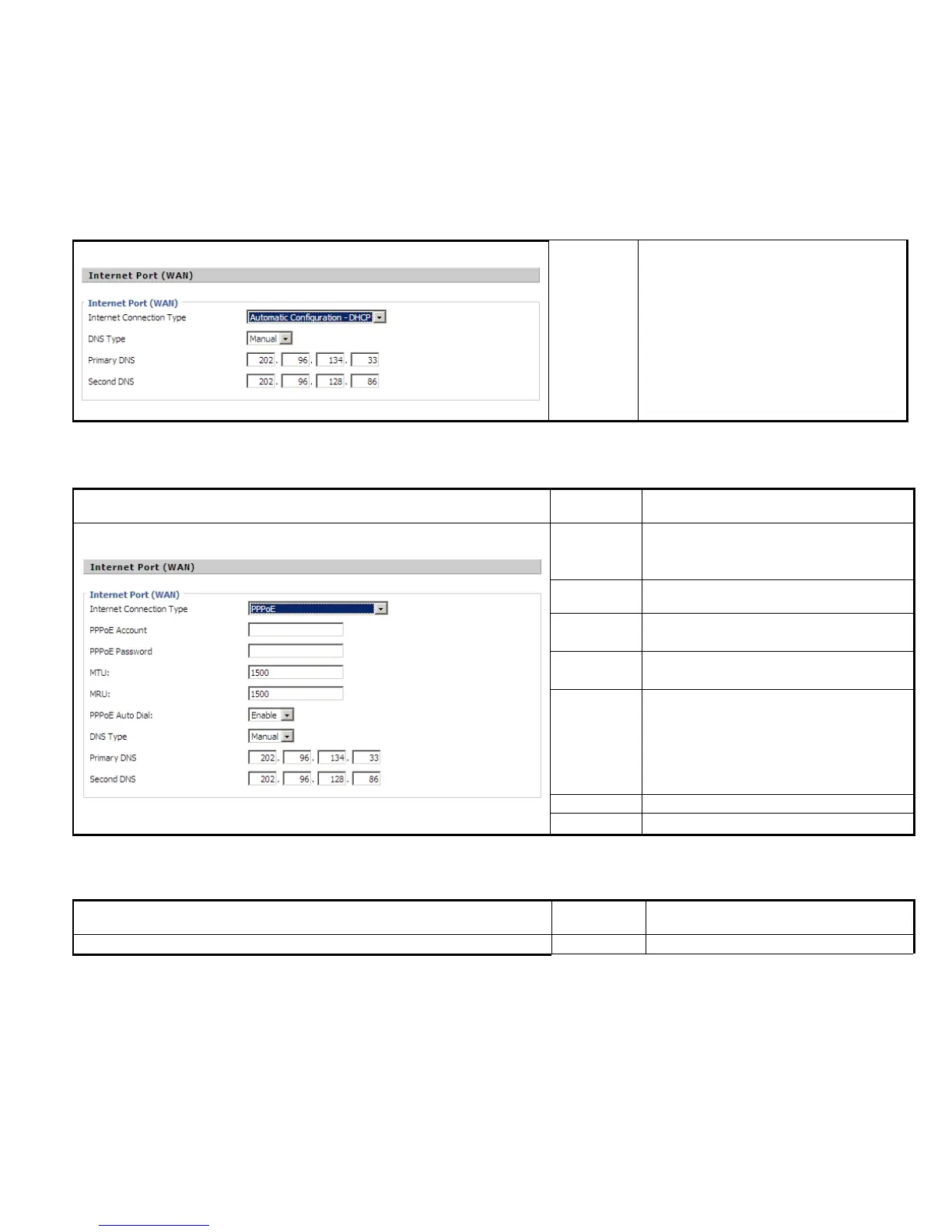
In Manual: user should set the Primary DNS
In Automatic: IP Phone will get the Primary
DNS and Second DNS from DHCP Server
automatically.
PPPoE:
Fill in the PPPoE account which get from
Internet Service Provider
Fill in the PPPoE account get from Internet
Service Provider
If or not enable PPPoE Auto-Dial.
Choose DNS type from Manual and Automatic
In Manual: user should set the Primary DNS
In Automatic: IP Phone will get the Primary
DNS and Second DNS from DHCP Server
automatically.
The primary DNS of Internet port.
The second DNS of Internet port.
Description
PC Port Choose the PC port connection type from



 To Next Page