FLYINGVOICE Page
66
of
72
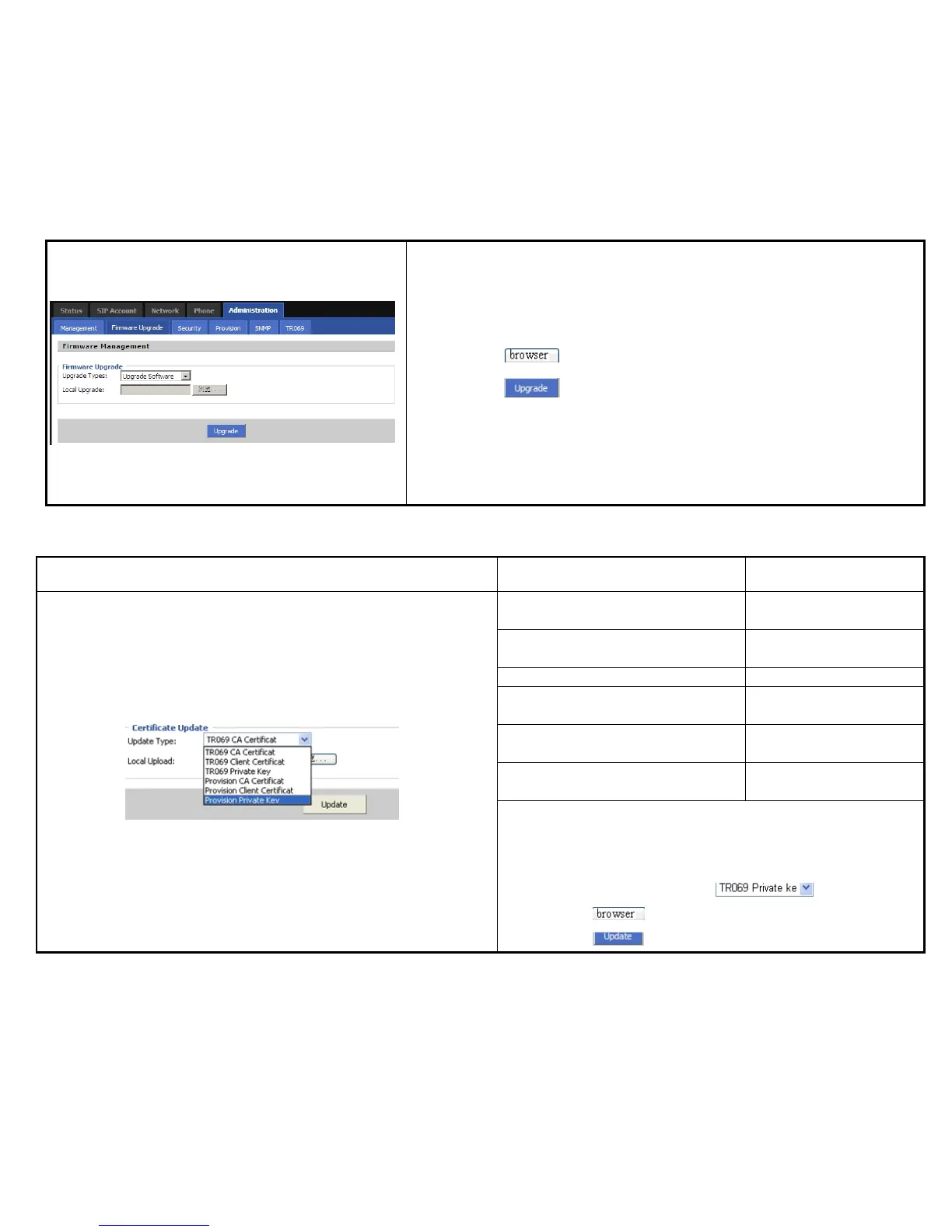
Steps:
Step 1. Choose a upgrade file type from Upgrade Software, Upgrade Ring Voice,
Upgrade Dial Plan and Upgrade Config File
Step 2. Press to browser the upgrade file.
Step 3. Press to start upgrading, LCD will display the notice when
upgrading.
Step 4. Login web and then check the firmware whether well upgraded by viewing
the firmware version in Status/Basic webpage.
The CA certificate file of
TR069
The Client Certificate file of
TR069
The Private Key file of TR069
The CA certificate file of
provision
Provision Client Certificate
The Client Certificate file of
provision
The Private Key file of
provision
User can upload cert files for TR069 and Provision as follows:
Step 1. Choose one File Type from , like picture 1.
Step 2. Press to browser file.
Step 3. Press to start upgrading.



 To Next Page