FLYINGVOICE Page
45
of
72
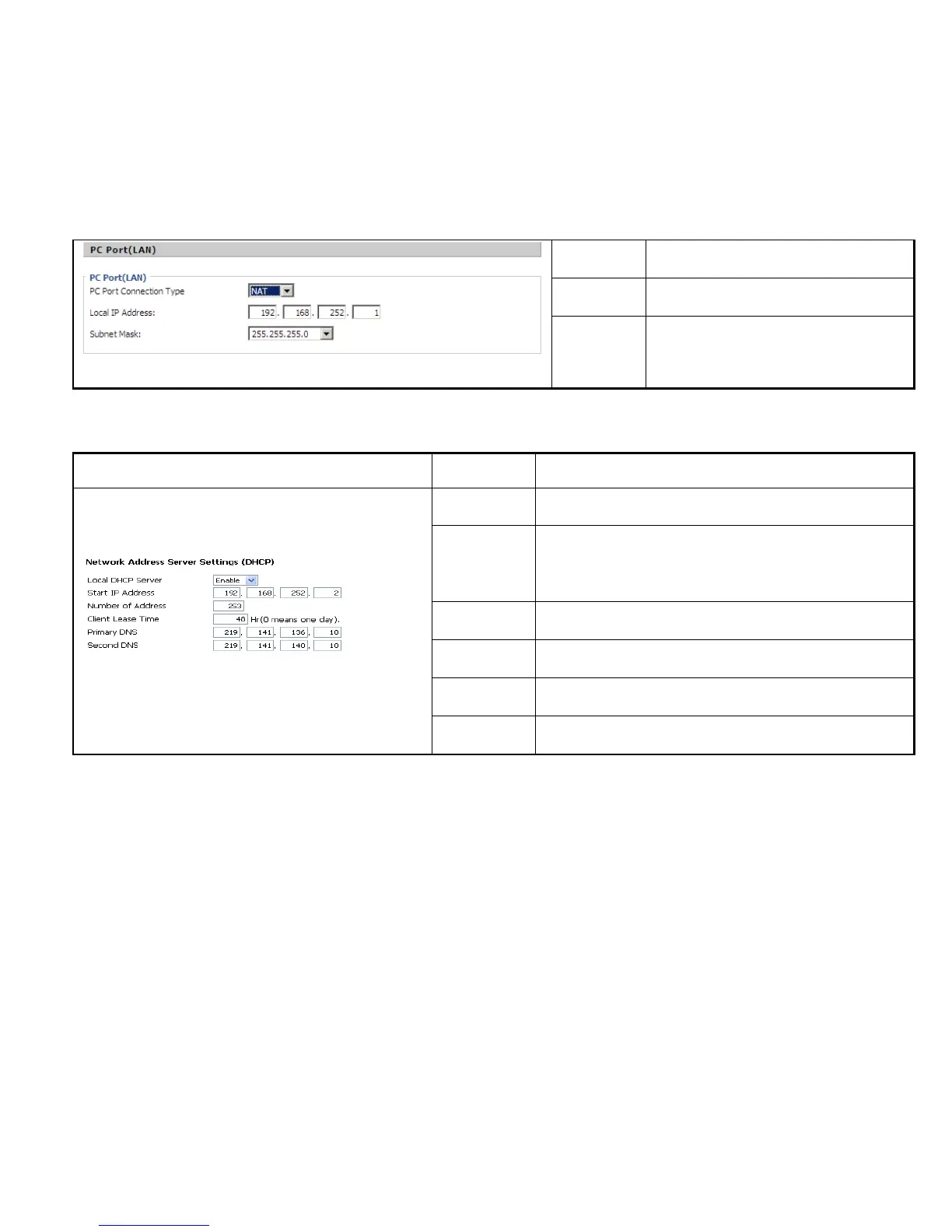
Connection
Type
disable, NAT and Bridge.
Local IP
Address
Set the IP address of PC port.
Efficient when user choose NAT.
Subnet Mask
Set the subnet mask of PC port.
Efficient when user choose NAT.
Description
Local DHCP
Server
If or not enable DHCP Server.
If PC port is not in NAT mode, user can not enable DHCP server.
Start IP Address
The starting IP address which IP phone will attribute to clients.
Note: The Network Sect of DHCP Server Start Address should be the
same with the one that IP542N’s PC port.
Generally speaking, you can use the default setting.
Number of
Address
Number of IP address will distribute to clients.
Client Lease
Time
The interval of DHCP will send request to continue in period of
validity. Unit is hour.
Primary DNS
Primary DNS that DHCP Server will distribute.
You can use the default setting.
Secondary DNS
Secondary DNS that DHCP Server will distribute.
You can use the default setting.
Static:
In static mode, user should fill in the values of IP Address, Subnet Mask, Default Gateway, Primary DNS and Second DNS got from your
administration.



 To Next Page