FLYINGVOICE Page
40
of
72
Supplementary Service Subscription and Advanced.
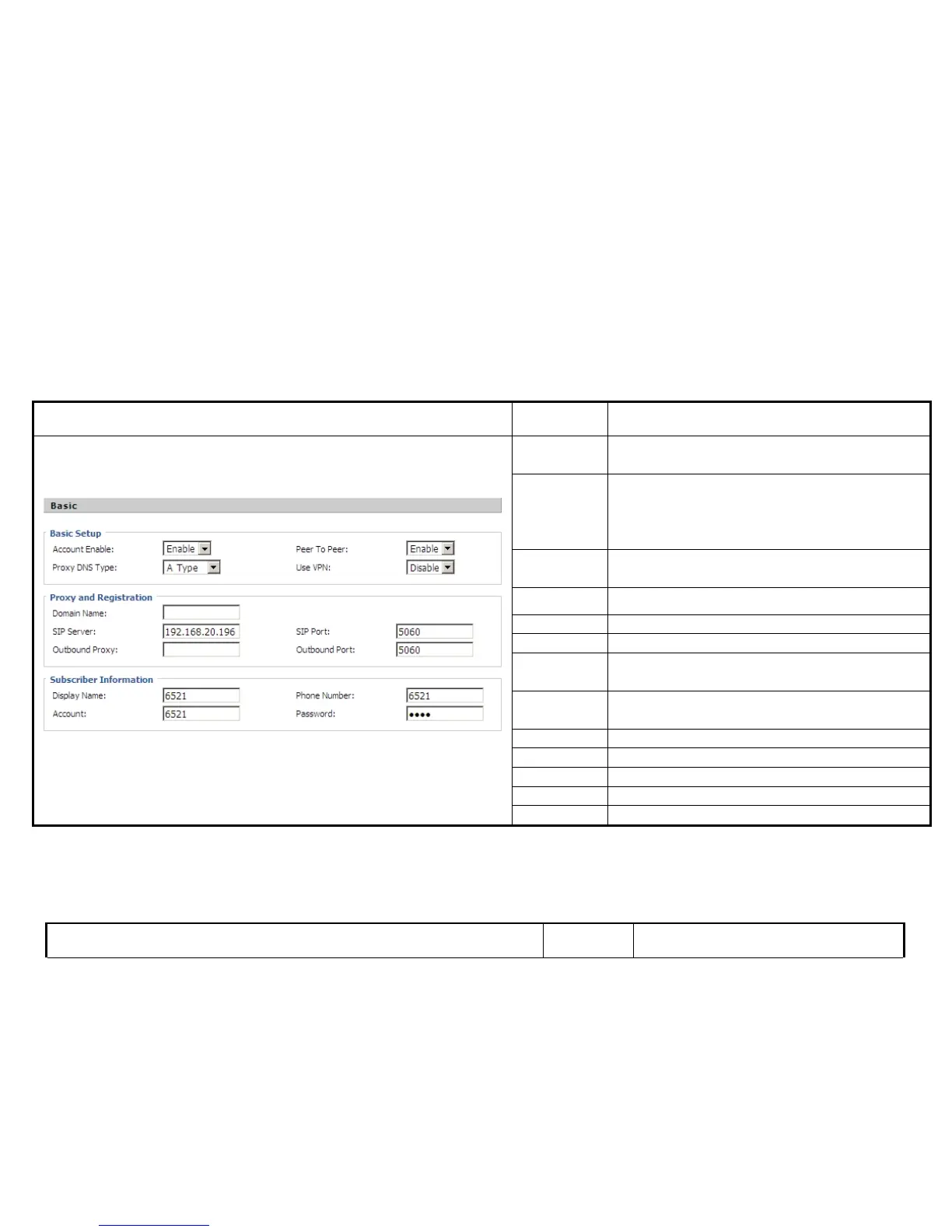
Following is the description about that.
Set the basic information provided by your VOIP Service Provider, such as Phone Number, Account, password, SIP Proxy and so on.
Description
Account
Enable
If or not enable Account1
Peer to Peer
If or not enable PEER to PEER.
If enable, SIP-1 will not send register request to SIP
server; but in Status/ SIP Account Status webpage, Status
is Registered;
Proxy DNS
Type
Choose DNS type from A Type and DNS SRV.
Use VPN If or not enable VPN
Domain Name The domain of SIP Server
SIP Server The IP address of SIP Server
SIP Port
The port which SIP Server supports for VOIP service,
default is 5060
Outbound
Proxy
Outbound Proxy IP or domain name
Outbound Port Outbound Proxy’s Service port
Display Name The number will display in LCD.
Phone Number Number of telephone provided by SIP Proxy
Account SIP account provided by SIP Proxy
Password SIP password provided by SIP Proxy
7.4.2.2 Audio Configuration
Select the audio Codec you want to use.



 To Next Page