FLYINGVOICE Page
64
of
72
Note: In admin mode, you can change the user password directly without the
password of user mode.
Step 3. Input a new password twice time in New Password and Confirm
Password.
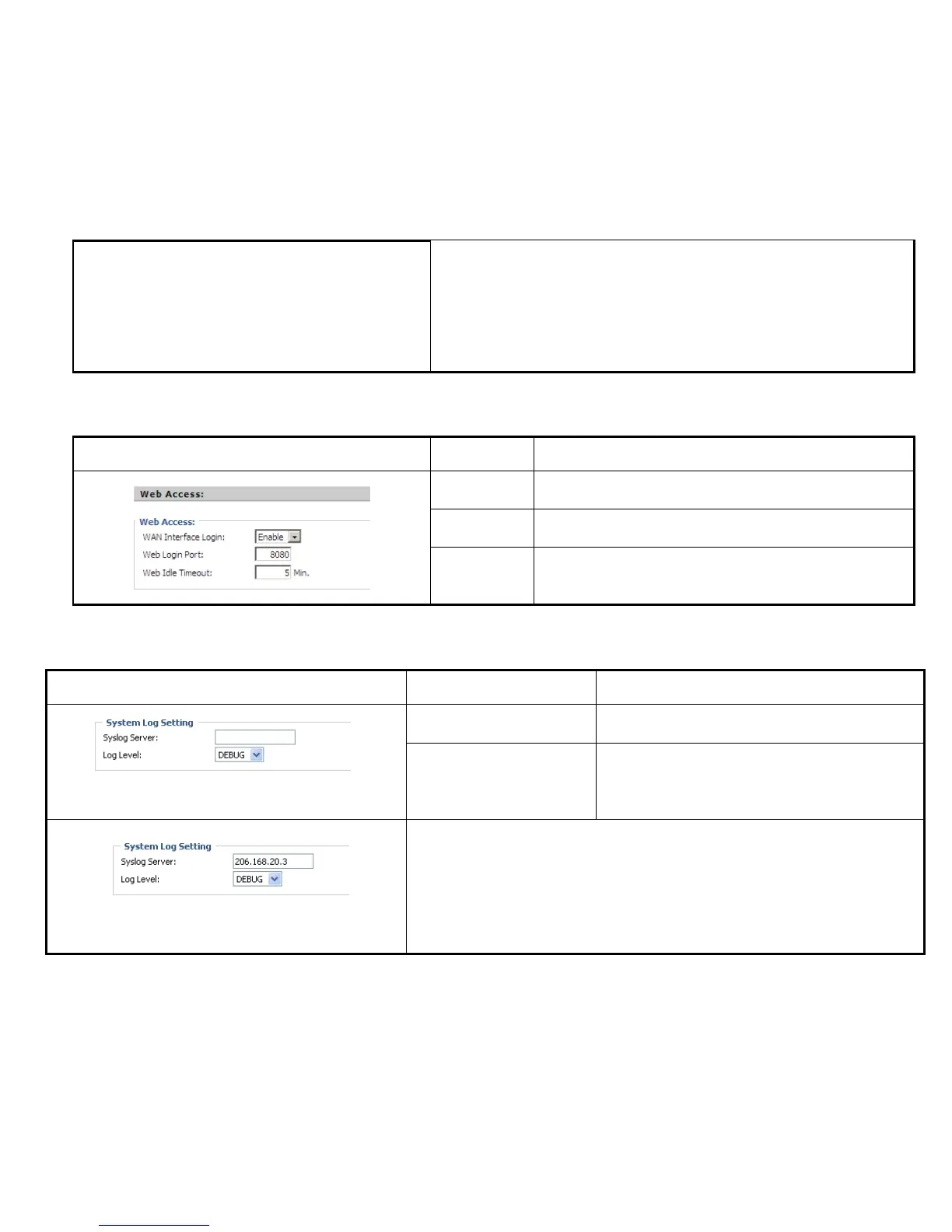
If or not enable user login WEB via Internet port.
If enable, user can access Web to administration.
Set the port which used to login WEB via Internet port and PC port,
Default is 8080, that is why URL should have 8080.
Set the web idle timeout time.
The web page can be logged out after Web Idle Timeout without any
operation.
7.7.1.4 System Log Setting
Set the SysLog Server IP address or domain name for
IP542N.
Choose log level from None/Error/Warn/INFO/Debug.
The priority changes from left to right, left is the lowest,
right is the highest; the higher priority, the more information
in syslog.
Picture 2
IP542N support local and remote Syslog.
In local:
Step 1. Set syslog server null and choose one kind of Log Level, like Picture 1.
Step 2. Press Saving Settings button to save and press Reboot button to active



 To Next Page