EasyManua.ls Logo

Flying Voice Technology IP542N - Phone Book

Default Icon
72 pages
Print Icon
To Next Page IconTo Next Page
To Previous Page IconTo Previous Page
Loading...
FLYINGVOICE Page
56
of
72
“2” or “3”, stop tone until inputting 6”.
5. Example 5
If user dials , IP542N will reject the phone
number out.
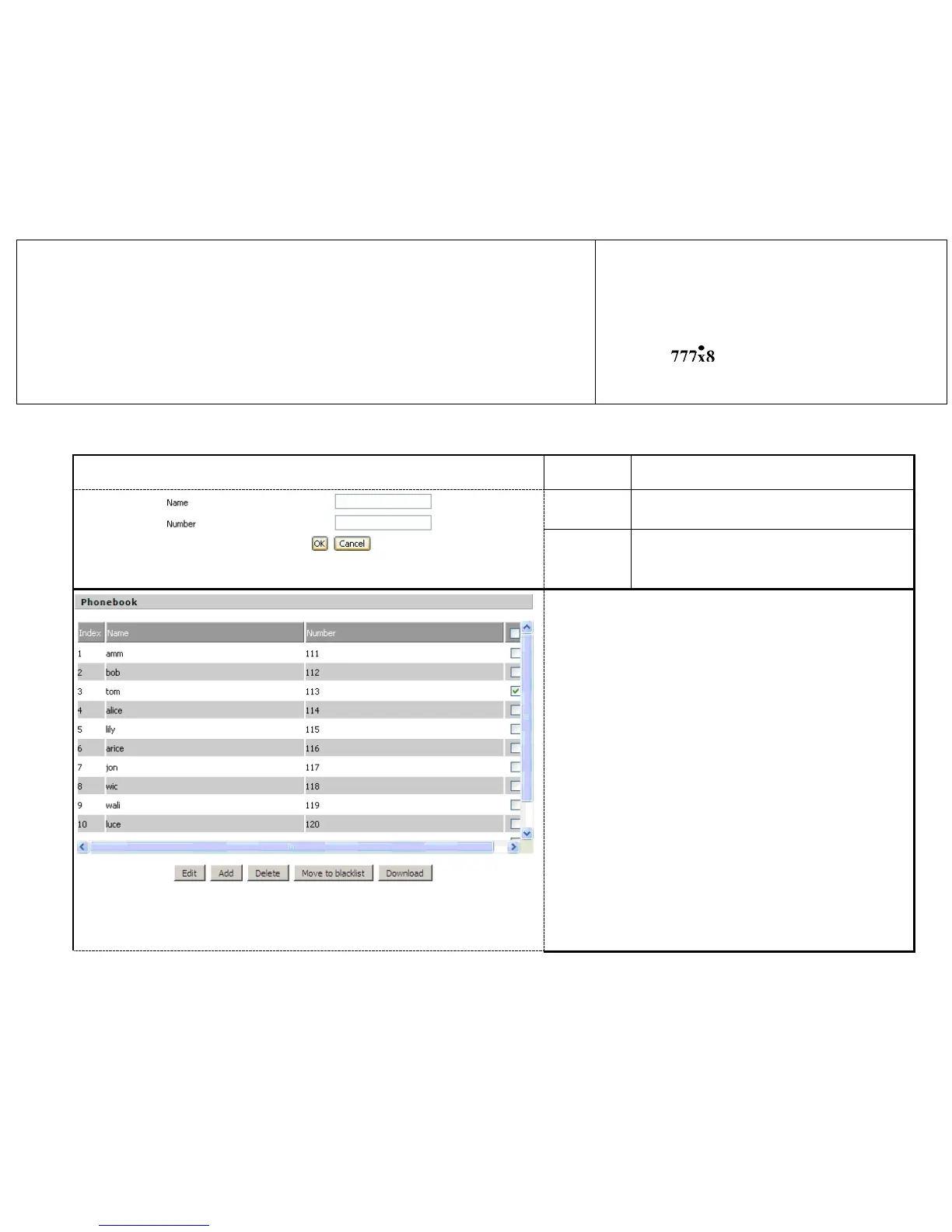
7.6.3 Phone Book
Webpage
Field Name
Description
Picture 1
Name
Input the name
Number
Input the phone number
Picture 2
Steps :
Adding one phone book:
Step 1. Click Add button, and the configuration table like
Picture 1 will appear
Step 2. Fill in the value of parameters.
Step 3. Press OK button to end configuration.
Step 4. Press Save Settings button to save changes.
Editing one phone book:
Step 1. Choose one phone book
Step 2. Click Edit button, and the configuration table like

Table of Contents