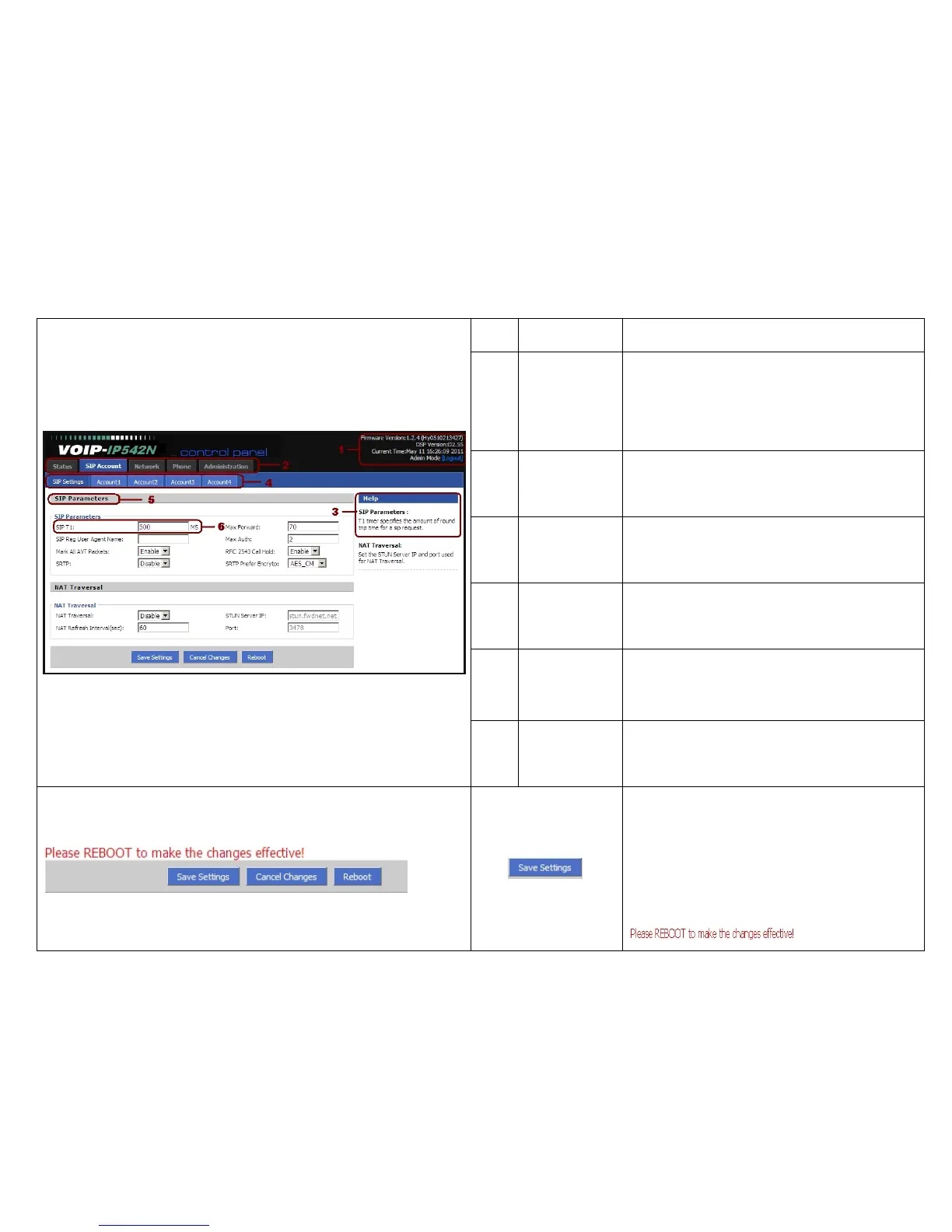
No. Name Description
1
main
information
Display the firmware version, DSP version,
Current Time, and administration mode.
Press Logout button to logout.
2
navigation bar
Click navigation bar, many sub-navigation bar
will appear in the place 4.
3
Help
Display the main information for configuration;
user can get help from it directly.
4
sub-navigation
bar
Click sub-navigation bar to enter to
configuration webpage
5
configuration
title
The configuration title
6
configuration
bars
The configuration bars



 To Next Page