Optimail Operator Manual
56
Step 5: Connecting the Optimail
Warning! Only use power and phone cables pro-
vided with the Optimail or approved by Francotyp-
Postalia.
Make sure that connecting cables are not damaged.
Connect the Optimail to a grounded single-phase
power socket only. Make sure your office power
supply conforms to the power requirements shown
on the serial number plate of the Optimail.
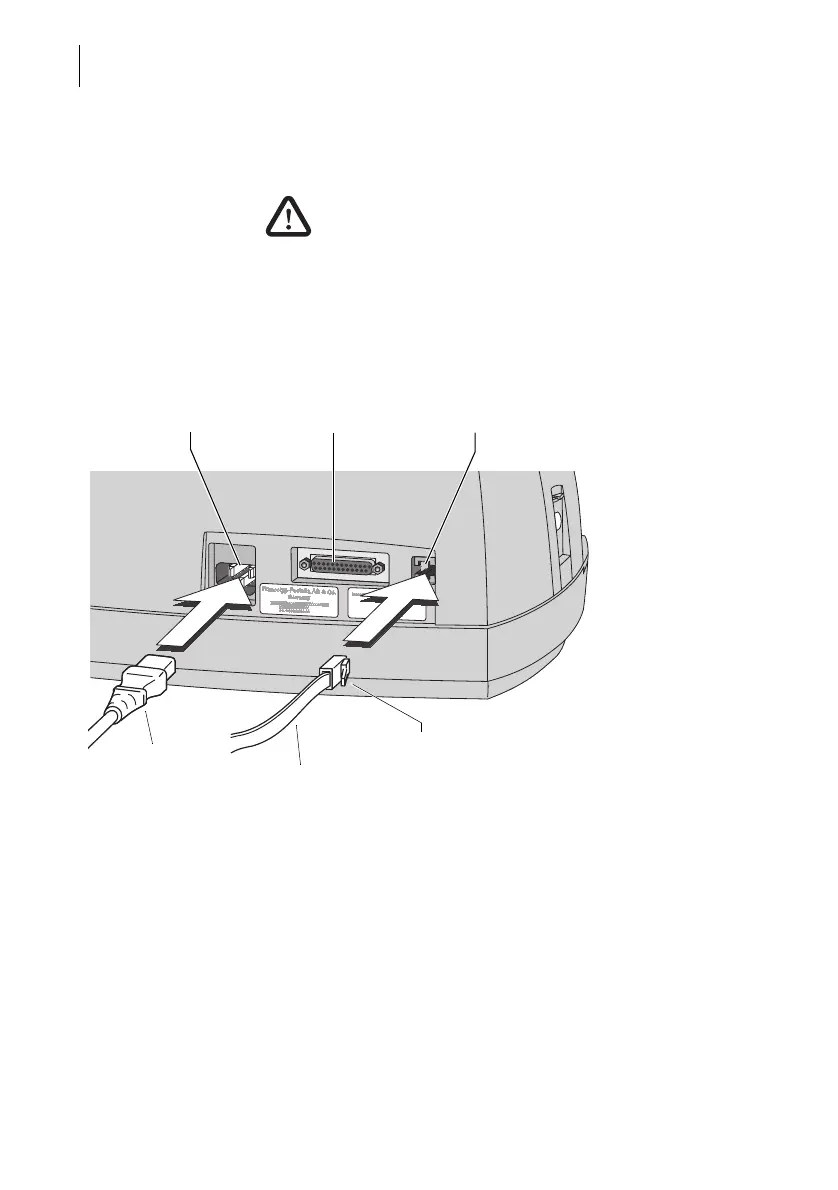
Power cable
• Plug the power cable plug into the mains socket.
The mains socket is at the rear of the Optimail.
• Plug the mains plug into a grounded single-phase
power socket.
Power cable
Power connection Postage scale connection Modem connection
Phone cable
Spring



 To Next Page