OPERATION
Control Functions
32
Adjustable Bump Modes (FE Connect App Only)
Using the FE Connect App, the bump mode and tank size settings of the drive can be changed.
Bump mode controls how hard the drive will pump just before stopping the motor when the pres
-
sure setpoint is reached.
For applications with a large pressure tank, or if the system takes too long to stop, the bump mode
can be modified to be more aggressive. The system behavior should be monitored when adjusting
these settings to ensure proper operation.
Refer to “Advanced Options” on page 38 for information about using the FE Connect app.
Moisture Sensor
When the system is equipped with a moisture sensor, the drive will stop pumping and display Fault
25 when the sensor detects the presence of water.
• When using Firmware version 2.1.0 or later, drive power must be cycled to clear the fault.
• When using Firmware prior to version 2.1.0, the fault will clear automatically when moisture is
no longer detected.
This does not replace the need for a pressure relief valve in the system.
The default setting for a Franklin Electric Moisture Sensor is Fault with High. When using a relay input
from other external control devices, the setting may need to be changed to Fault with Low.
Refer to “Advanced Options” on page 38 for information about using the FE Connect app to
change this setting.
Tank Fill, Drain, and Level Control (Float Switches)
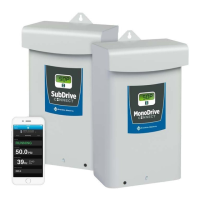
The SubDrive/MonoDrive Connect is able to use float switches connected to the Auxiliary Inputs to
maintain water levels in a tank.
Refer to “Drive Control Using an External Device (Auxiliary Input)” on page 41 for more information
about how to configure this feature.



 To Next Page