COMMUNICATIONS
FE Connect Mobile Application
39
Broken Pipe Detection: Use this selection to enable or disable the feature, as well as adjust the
length of time before the fault occurs.
Refer to
“Broken Pipe Protection” on page 34.
Wet Floor Detect Input: This par
ameter controls how the controller will react when the Wet Sen-
sor control terminal is used.
• Fault with High (default). This supports the Franklin Electric Moisture Sensor device.
• Fault with Low. This can be used with other unpowered dry contact switched input devices.
Refer to
“Moisture Sensor” on page 32 for more information.
Auxiliary Input: This par
ameter controls how the drive will react when the AUX INPUT control ter-
minal is used.
• Fault with High (default): In this setting, the drive output will stop when the external switch
closes.
• Fault with Low: In this setting, the drive output will stop when the external switch opens.
In both cases, F
ault F26 will be displayed on the monitor. When the switch moves to the opposite
position, the drive output will restart after 30 seconds.
Refer to
“Drive Control Using an External Device (Auxiliary Input)” on page 41 for more informa-
tion.
Units Selection: Select either kilo
watts or horsepower.
Available Firmware
Provides the capability to download the latest drive firmware using a mobile device and then
upda
te the SubDrive/MonoDrive Connect.
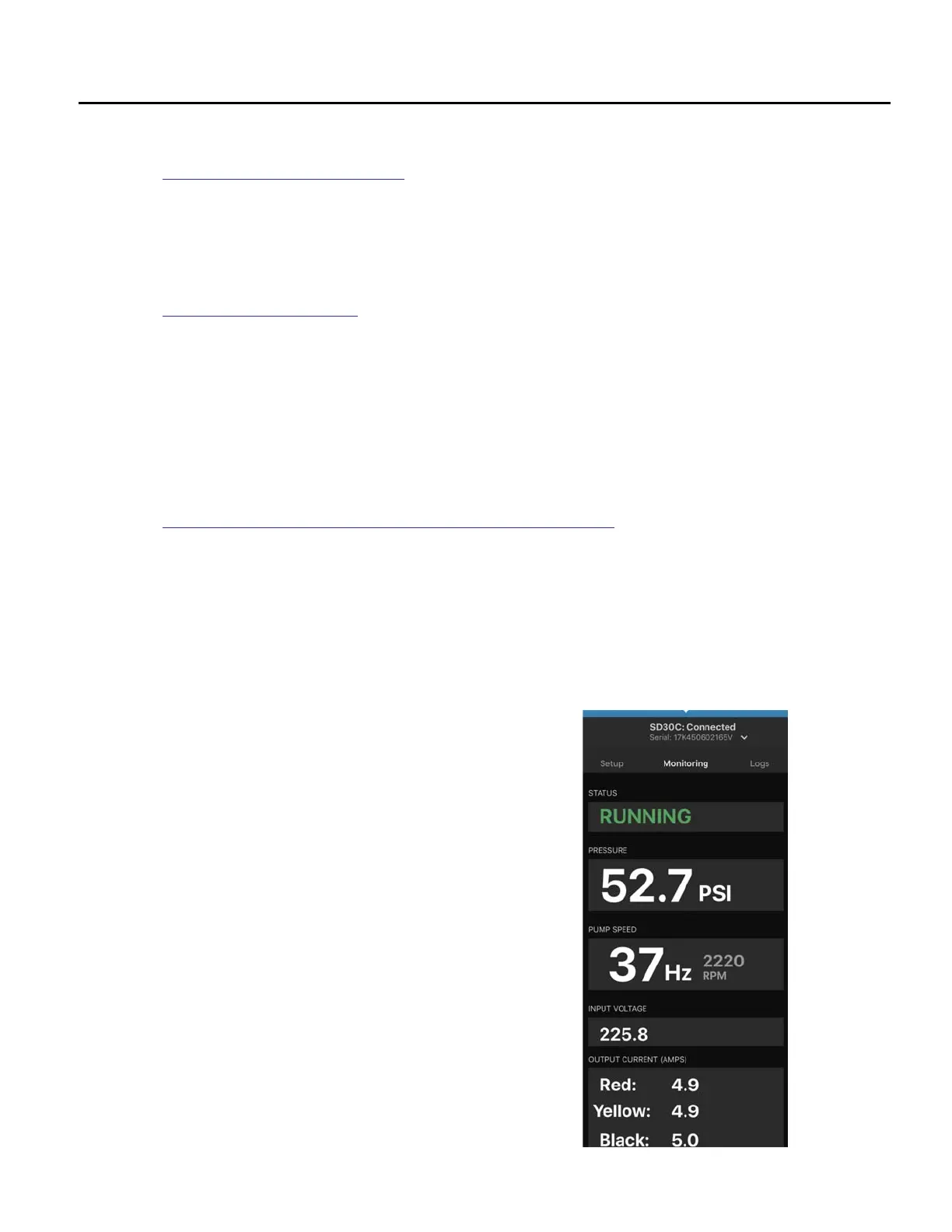
System Monitoring
This screen provides real-time monitoring of the system including:
• System Information (Drive Model, Hardware Version, Software
Version)
• System Status: Running, Idle, Faults
• System Pressure (pressure transducer required)
• Built-In Duplex Alternator Status
• Motor Speed
• Input Voltage
• Output Current



 To Next Page