EasyManua.ls Logo

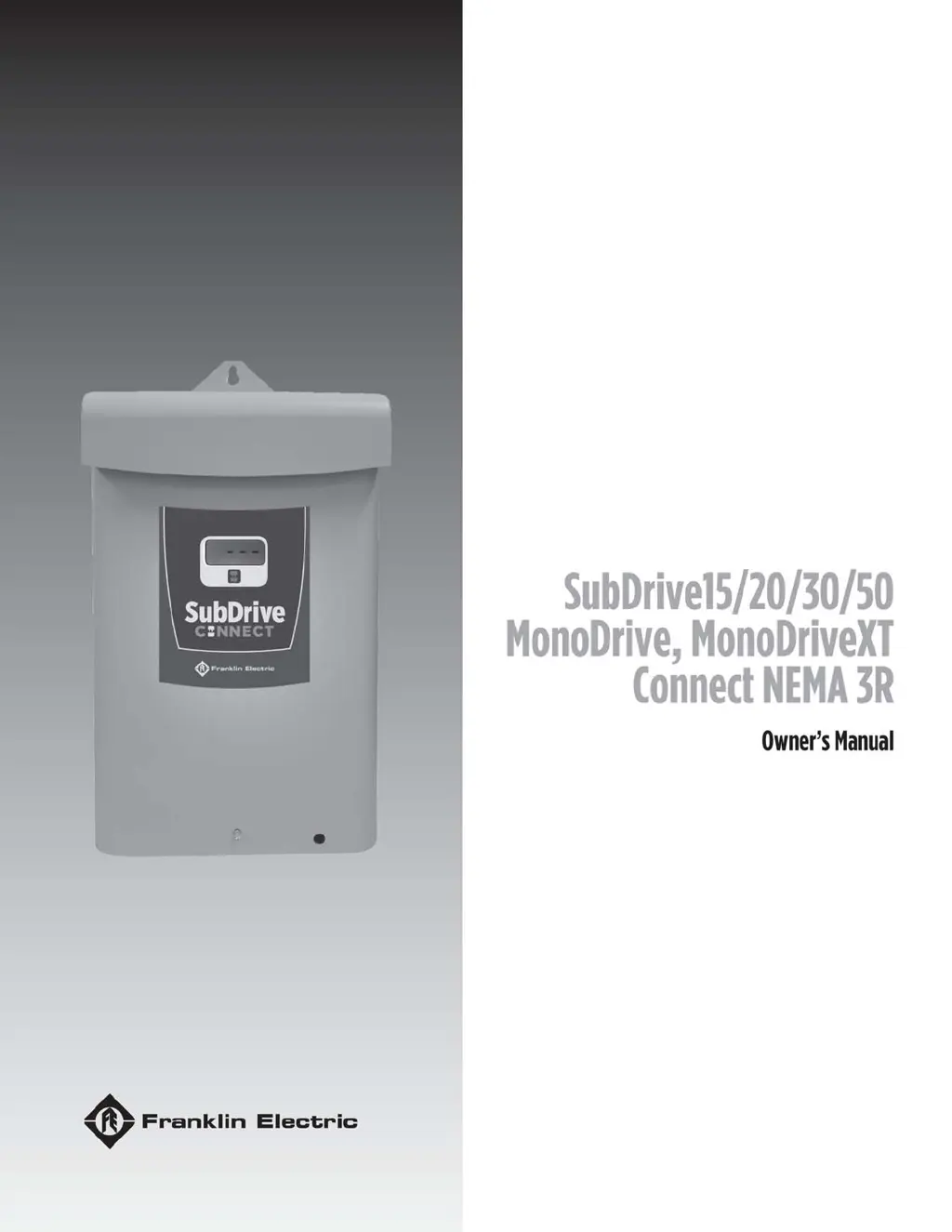
Franklin Electric MonoDrive - User Manual

Franklin Electric MonoDrive
184 pages
Print Icon
To Next Page IconTo Next Page
Loading...

Table of Contents

Other manuals for Franklin Electric MonoDrive

Questions and Answers

  • J
    jeremiahmckinneyAug 9, 2025
    Why is my Franklin Electric DC Drives showing undervoltage?
    • J
      Jesse MitchellAug 9, 2025
      If your Franklin Electric DC Drives system shows undervoltage, it could be due to several reasons. First, the line voltage might be too low, less than approximately 150 VAC (normal operating range is 190 to 260 VAC). Also, check for misconnected input leads or loose connections at the breaker or panel. To resolve this, check and correct the incoming power connections, ensuring they are tight. You may also need to check the circuit breaker or fuses, and if the voltage is still incorrect, contact your power company.
  • C
    Carmen PenaAug 19, 2025
    What to do if Franklin Electric DC Drives show overcurrent or locked pump?
    • C
      Cynthia WatsonSep 12, 2025
      If your Franklin Electric DC Drives system is experiencing overcurrent or the pump is locked, it could be due to motor or pump misalignment, dragging, or being completely locked. Abrasives in the pump or excessive motor cable length can also cause this. Amperage may be above SFL at 30 Hz. To address this, remove and repair or replace the affected components as needed. Also, reduce the motor cable length, adhering to the Maximum Motor Cable Length table.
  • A
    Antonio ToddNov 27, 2025
    How to troubleshoot motor underload on Franklin Electric DC Drives?
    • J
      James ChavezNov 27, 2025
      If your Franklin Electric DC Drives motor is underloaded, several factors could be at play. The well might be over-pumped, or there could be a broken shaft or coupling. A blocked screen, worn pump, air/gas locked pump, or incorrect SubDrive settings for the pump end could also be the cause. Additionally, the Underload Sensitivity setting might be incorrect, with the frequency near maximum but the load less than the configured underload sensitivity. The system might be drawing down to the pump inlet (out of water). If it's a high static, light loading pump, reset the Potentiometer for less sensitivity if not out of water. Check the pump rotation (SubDrive only) and reconnect if necessary for proper rotation. For an air/gas locked pump, if possible, set it deeper in the well to reduce air/ga...

Summary

Safety Instructions

Hazard Messages

Describes warning levels (DANGER, WARNING, CAUTION, NOTICE) and safety symbols.

Before Getting Started

Provides initial safety precautions and installation readiness checks.

Product Specific Precautions

Safety advice specific to the drive's installation and use.

Product Information

Installation and Setup

Installation Process

Overview table for planning the drive installation steps.

Electrical Installation

General wiring guidelines and cable routing recommendations.

Fuse;Circuit Breaker and Wire Sizing

Tables for selecting proper fuses, breakers, and wire sizes.

High Voltage Wiring Connections

Instructions and warnings for connecting high voltage power.

Power Circuit and Motor Connections

Terminal connections for the main power supply and motor leads.

Control Circuit Connections

Wiring for pressure sensors, alarm relays, and auxiliary inputs.

Drive Configuration

Overview of DIP switch settings for drive configuration.

Submersible Motor and Pump Sizes (DIP SW2 & DIP SW3)

DIP switch settings for matching submersible motor and pump sizes.

Surface Motor Overload and System Response (DIP SW2 & DIP SW3)

DIP switch settings for surface motor overload and system response.

Pressure Input Selection (DIP SW1 - Position 5)

Configuring the drive for the type of pressure sensor being used.

Adjusting Pressure Setting

Setting system pressure using the adjustment knob or app.

Underload Sensitivity

Adjusting the sensitivity for detecting underload faults.

Operation

Protection Features

Describes various protective functions: PFC, over-temp, soft start, overload, broken pipe.

Communications

Setup Wi-Fi Connection

Step-by-step instructions to connect the FE Connect app to the drive.

Drive Configuration Using the FE Connect App

How to configure various drive settings using the FE Connect mobile app.

Pressure Control Settings

Settings for pressure transducer range, setpoint, and drawdown functions.

Surface Application System Response Settings

Customizing system response parameters for surface pump applications.

Advanced Application Options

Drive Control Using an External Device (Auxiliary Input)

Using external devices like float switches or timers to control the drive.

Maintenance

Troubleshooting

Introduction to troubleshooting system issues.

Diagnostic Fault Codes

Table of fault codes, possible causes, and corrective actions.

Symptom Based Troubleshooting

Troubleshooting guide based on observed system symptoms and display.

Specifications

Franklin Electric MonoDrive Specifications

General IconGeneral
BrandFranklin Electric
ModelMonoDrive
CategoryController
LanguageEnglish

Related product manuals