22
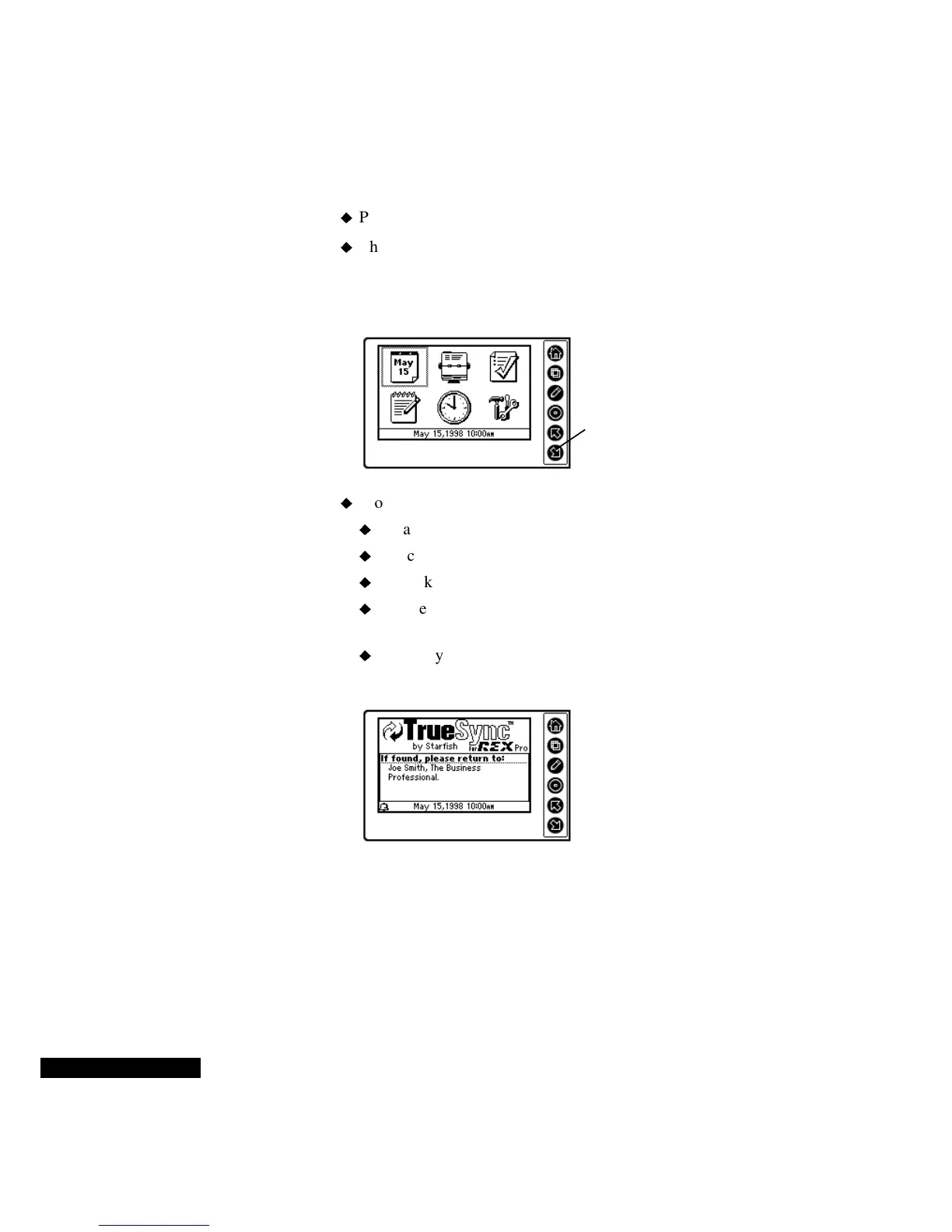
To use the Home screen:
Press or hold the Home key until the Home screen appears.
The Calendar icon shows the date for the Local Time Zone. The
Local Time Zone is the time that you have selected on your REX
PRO card. (For details, see the section below on World and Home
Clocks.) The Clock icon shows the Local Time.
From the Home screen, use the:
Up and Down keys to highlight the icons.
Select key to enter a module.
Home key to return to the Home screen.
Edit key to create an Event, a Contact, a To Do item, or a
QuickNote.
View key to check the owner information for your REX PRO
card.
Editing with REX
PRO
Pressing the Edit key opens the door to the REX PRO SuperKey data
entry system. When you are in Edit mode, you can create, delete, or
modify events, Contacts, To Do items, and QuickNotes.
The SuperKey system learns from and anticipates your actions. As
you use the REX PRO, SuperKey adapts to your personal styles and
needs with every session. The SuperKey system thus refines your
You can use the Up or Down
key to highlight an icon.
Keeping your
identification
information up-to-
date can save the
day if you lose
your REX PRO
card!



 To Next Page