34
2
Use the Down key to move the highlight to Remove, and press the
Select key. You will be asked to confirm the deletion of this
contact. Highlight Yes and press the Select key to complete the
removal; highlight No and press the Select key to keep the Contact.
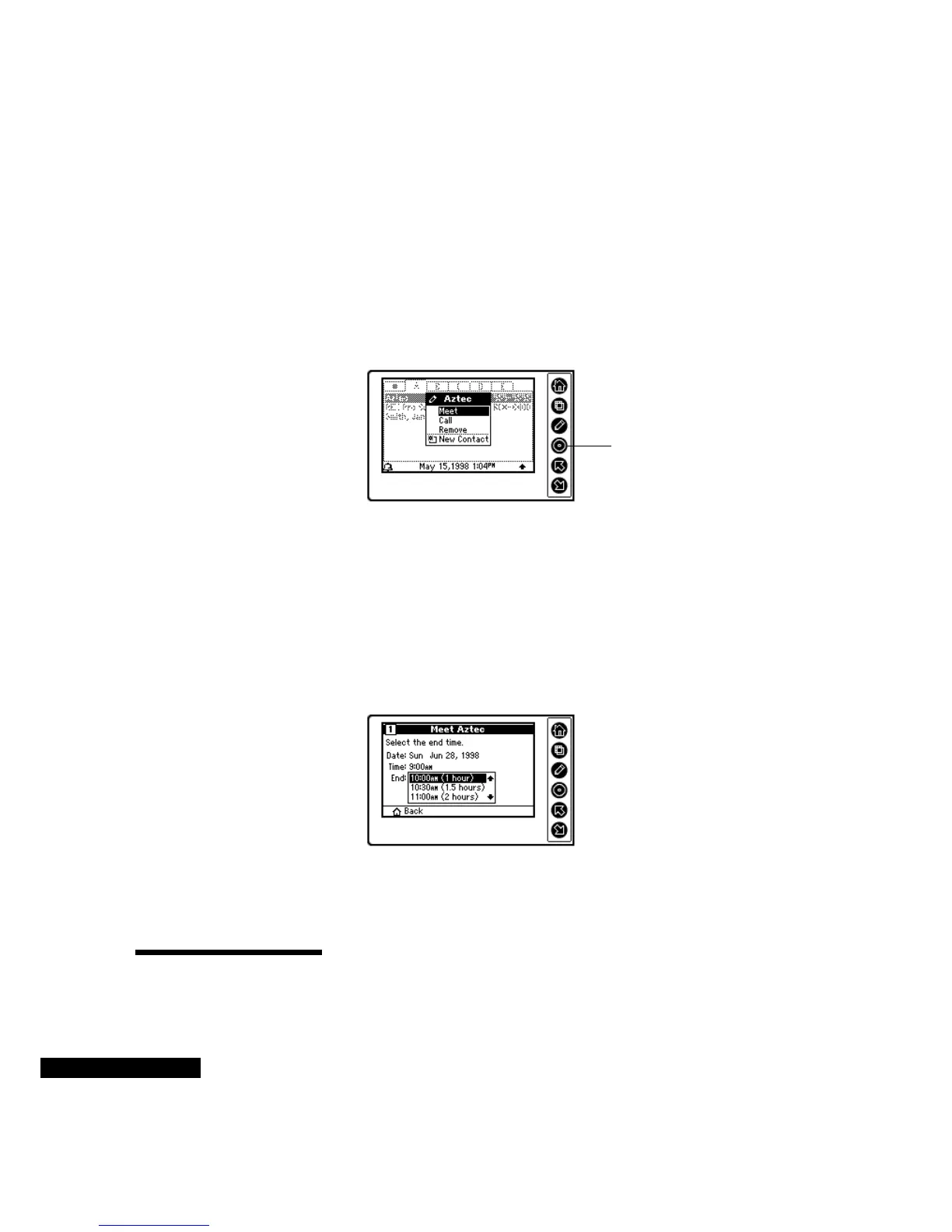
To set up a meeting or telephone call with a Contact:
1
Highlight the Contact, and then press the Edit key.
2
Choose Meet or Call from the menu, and press the Select key.
3
Select the meeting date by pressing the Up or Down key. Each
time that you press the Select key, you will move to the next field.
For example, if you have used the Up or Down key to move the
month to Jan., and then press the Select key, the highlight will
move to the date field. Press the Home key to undo your selection
in a field.
4
After you enter the date, enter the start time. Then enter the End
time.
5
You also will have the option of choosing a reminder. The
Summary screen will then conclude this task. If you view the
Summary screen and want to make a change, press the Home key.
Using To Do
Lists
Using the To Do lists, you can view tasks, calls, and overdue items.
You can also create, reschedule, delete, and check off To Do items.
Highlight the desired
option, and press the
Select key.
Select the end time from
the list.



 To Next Page