Getting Started 9
Understanding the
status bar
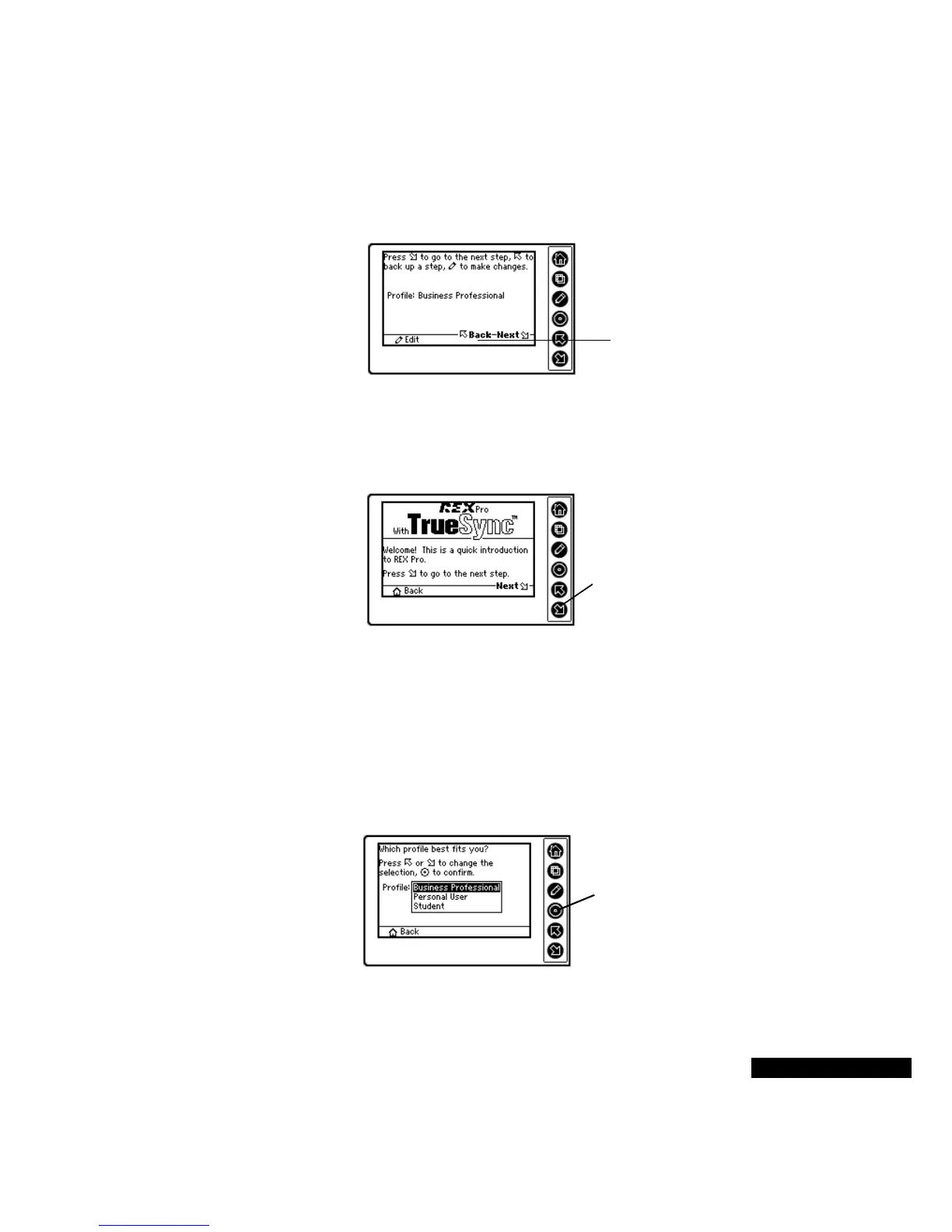
The status bar at the bottom of your REX PRO card displays labeled
icons that tell you which functions you can perform from that view.
Take a walk with
the Setup Wizard
When you first turn on your REX PRO card, the REX PRO Setup
Wizard will help you get up and running.
The second Wizard screen lets you select your profile. Your selection
determines your options when creating Calendar events and To Do
items. For example, if you select the Business Professional profile,
your Calendar list will include an Off-Site option.
You can change your profile later in the TrueSync Desktop software,
and you can also customize these lists. For details, refer to the
TrueSync Desktop for REX PRO’s User Guide.
Here, the Status bar
icons tell you to use the
Up or Down key on the
REX PRO card to return
to the previous screen,
or to move forward; use
the Edit key if you want to
change your profile.
Press the Down key
on the REX PRO
card to continue.
Press the Select key to
enter your choice. If you
want to return to the
previous screen, press
the Home key.



 To Next Page