41
Using alarms
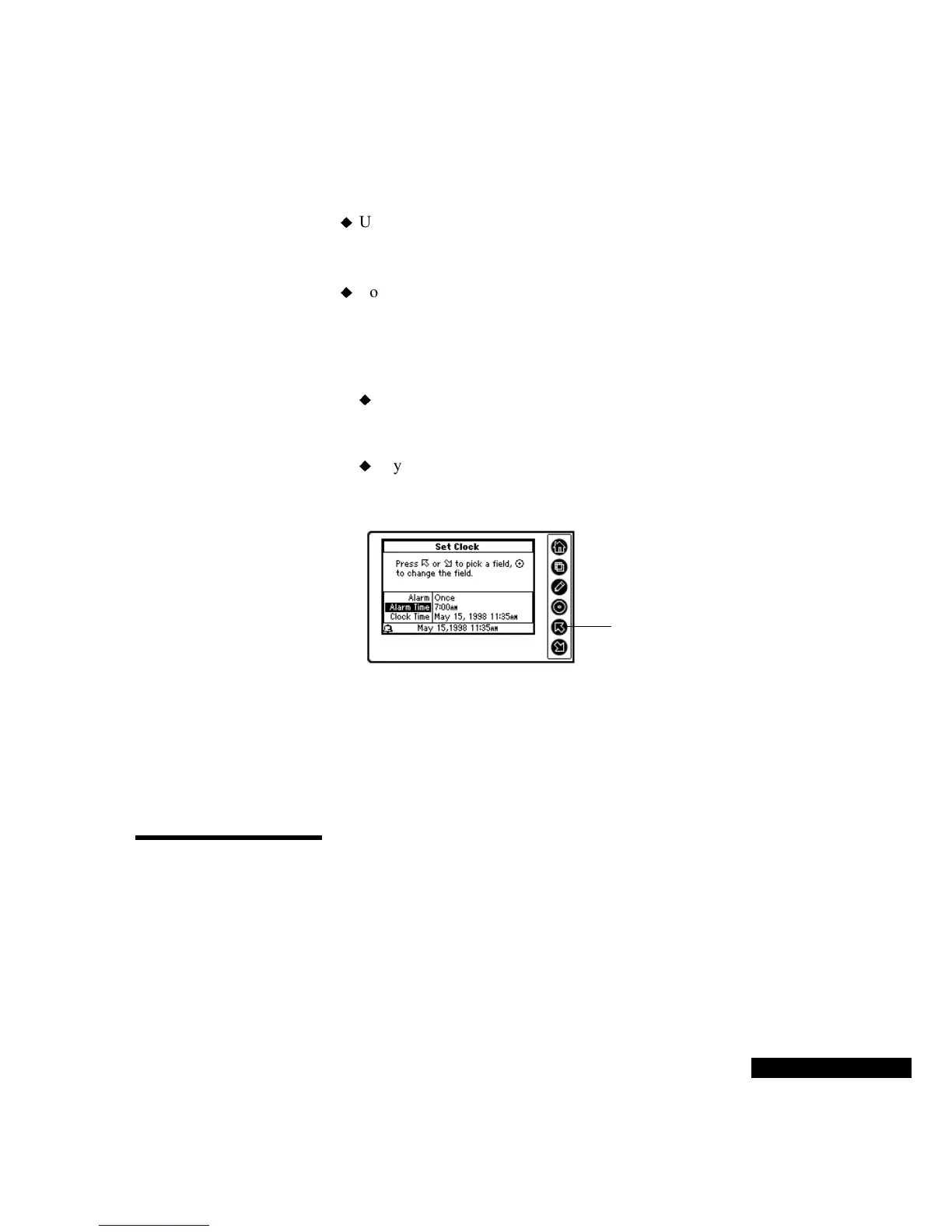
To activate or change an alarm:
Use the Up or Down key to move from Alarm to Alarm Time.
When you have highlighted the field that you want to change, press
the Select key.
To activate or change the alarm, use the Up or Down key to move
through the list to the alarm frequency that you desire. Then press
the Select key. If you select Daily, an alarm will sound every day at
the specified time. If you select Once, an alarm will sound only at
the next occurrence of the specified time.
If you are changing the alarm time, use the Up or Down key to
change the hours, minutes, and/or PM or AM entries. Press the
Select key to move from field to field.
If you are changing the clock time, use the Up or Down key to
change the month, date, year, and/or time. Press the Select key
to move from field to field.
Understanding
time zones and
travel
When you change the time zone of the currently selected clock on the
REX PRO card, the calendar events automatically change to reflect
the new time zone. For example, an appointment scheduled for 2 p.m.
in New York changes to 11 a.m. when Los Angeles is selected.
For details on time zones, refer to the TrueSync Desktop for REX PRO
manual.
Using
Preferences
Your REX PRO card’s preferences include the Time Display, Date
Display, Alarm Sound, Key Clicks, Day Start and Day End, and Auto
Shut-Off. You can also set your password and clock, or view device
information, such as the amount of free memory, in the Preferences
module.
Use the Up or Down
key to select the new
alarm time.



 To Next Page