36
2
Press the Edit key.
3
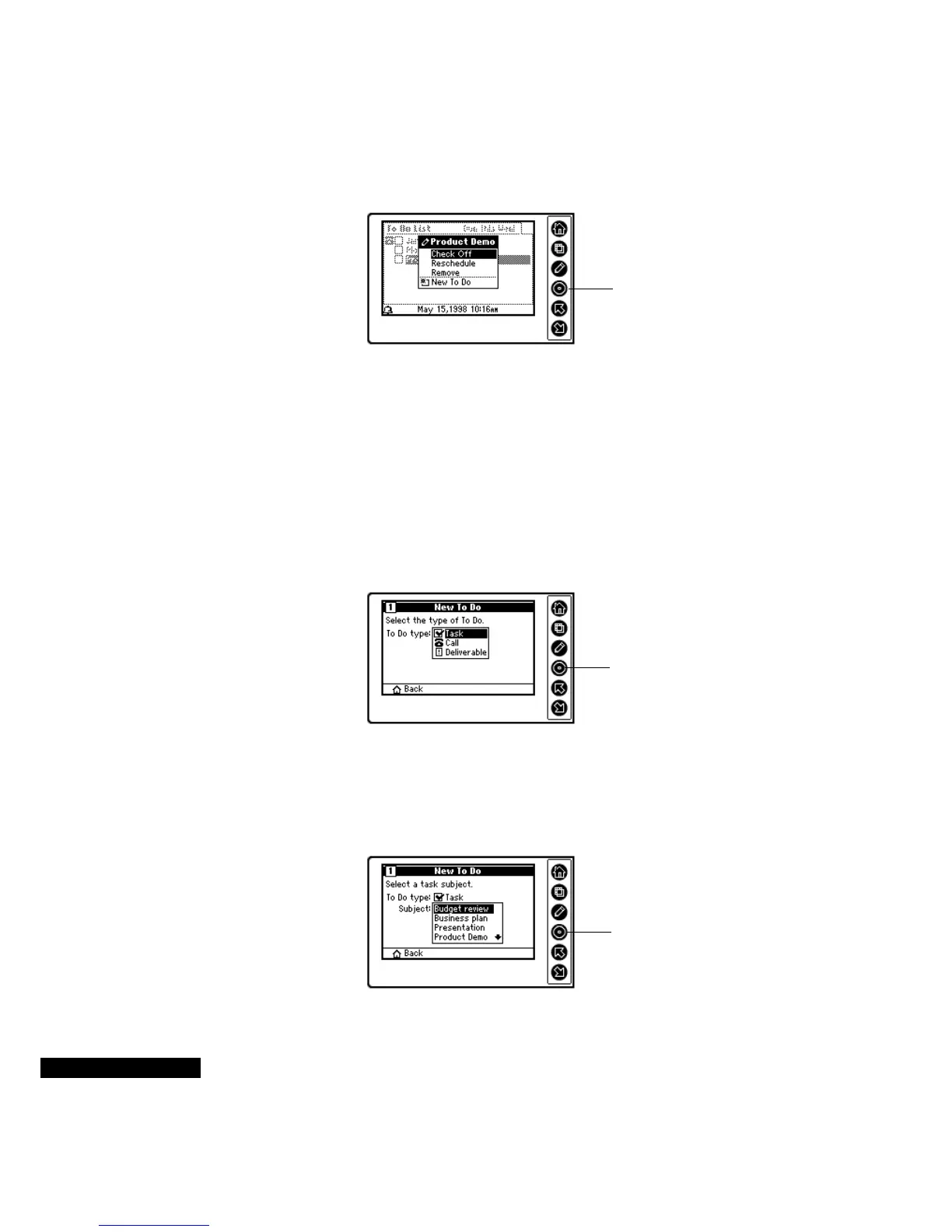
Check Off is highlighted in the menu. Press the Select key to check
off the item. (If the item that you check off was overdue, it will be
removed from the Overdue Tasks List.)
Creating To Do
items
You can create To Do items, including tasks, calls, and deliverables.
To create a To Do item
1
Press the Edit key, highlight New To Do, and press the Select key.
2
Highlight the type of To Do from the menu, and press the Select
key.
3
Select the To Do item subject. The list of subjects will vary, based
on the To Do type and your profile. Press the Up or Down key to
scroll through the list of subjects and highlight your choice. Press
the Select key to enter your choice.
Highlight Check Off, and
press the Select key.
Highlight the desired
type of To Do item, and
press the Select key.
Highlight the subject, and
press the Select key.



 To Next Page