10 Chapter 1
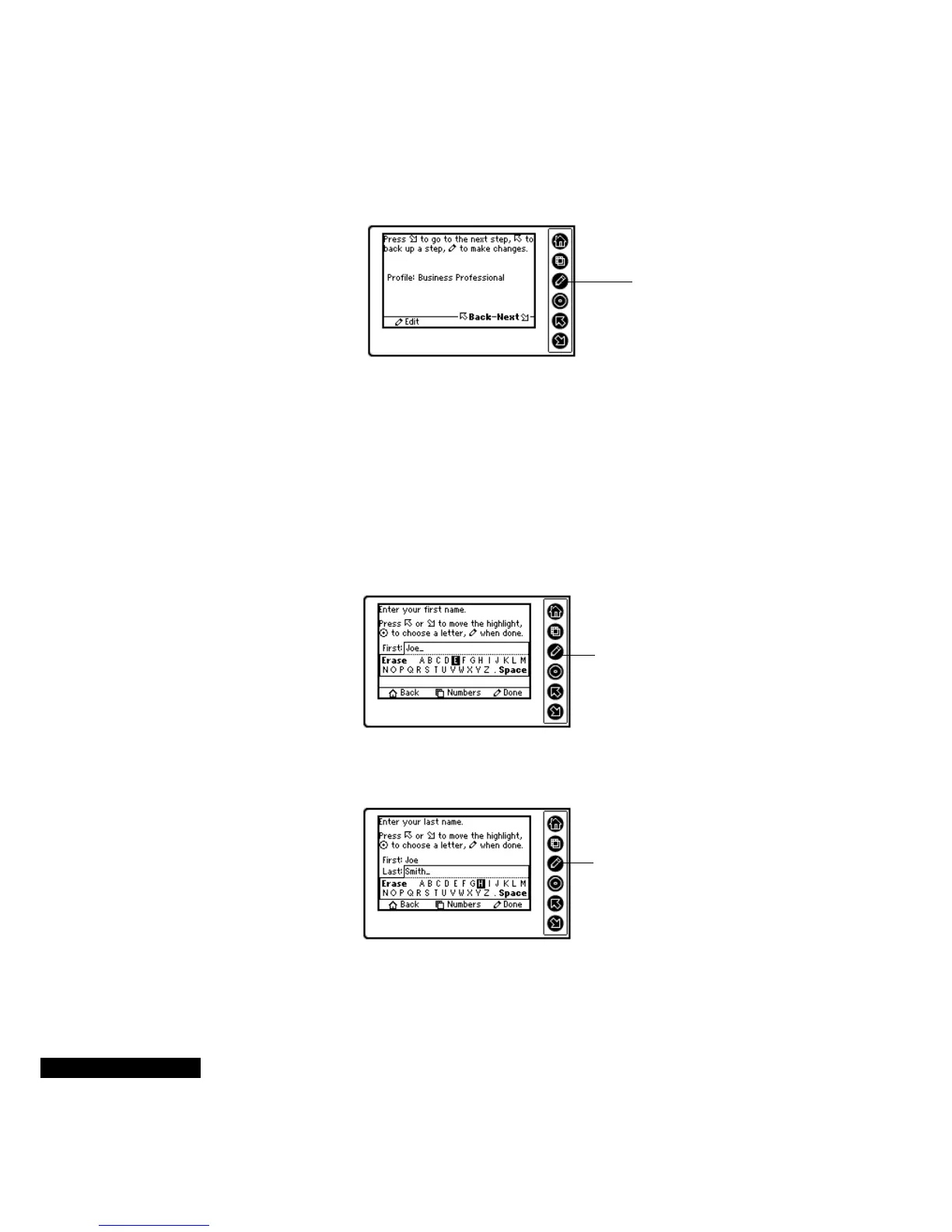
The third Wizard screen shows your profile selection.
Now you need to enter your first name. Use the Up or Down key on
the REX PRO card to select the letters of your name. To scroll
quickly, hold down the Up or Down key.
After you have highlighted a choice, press the Select key. If you want
to enter any numbers, press the View key. To return to letters, press
the View key again. If you make an error, move the highlight to the
Erase section. Press the Home key if you want to return to the
previous screen.
Next, enter your last name. Use the same keys as described above.
Use the Edit key if
you want to
change your
profile.
When your first
name is spelled
correctly, press the
Edit key.
When your last
name is spelled
correctly, press the
Edit key.



 To Next Page