Getting Started 11
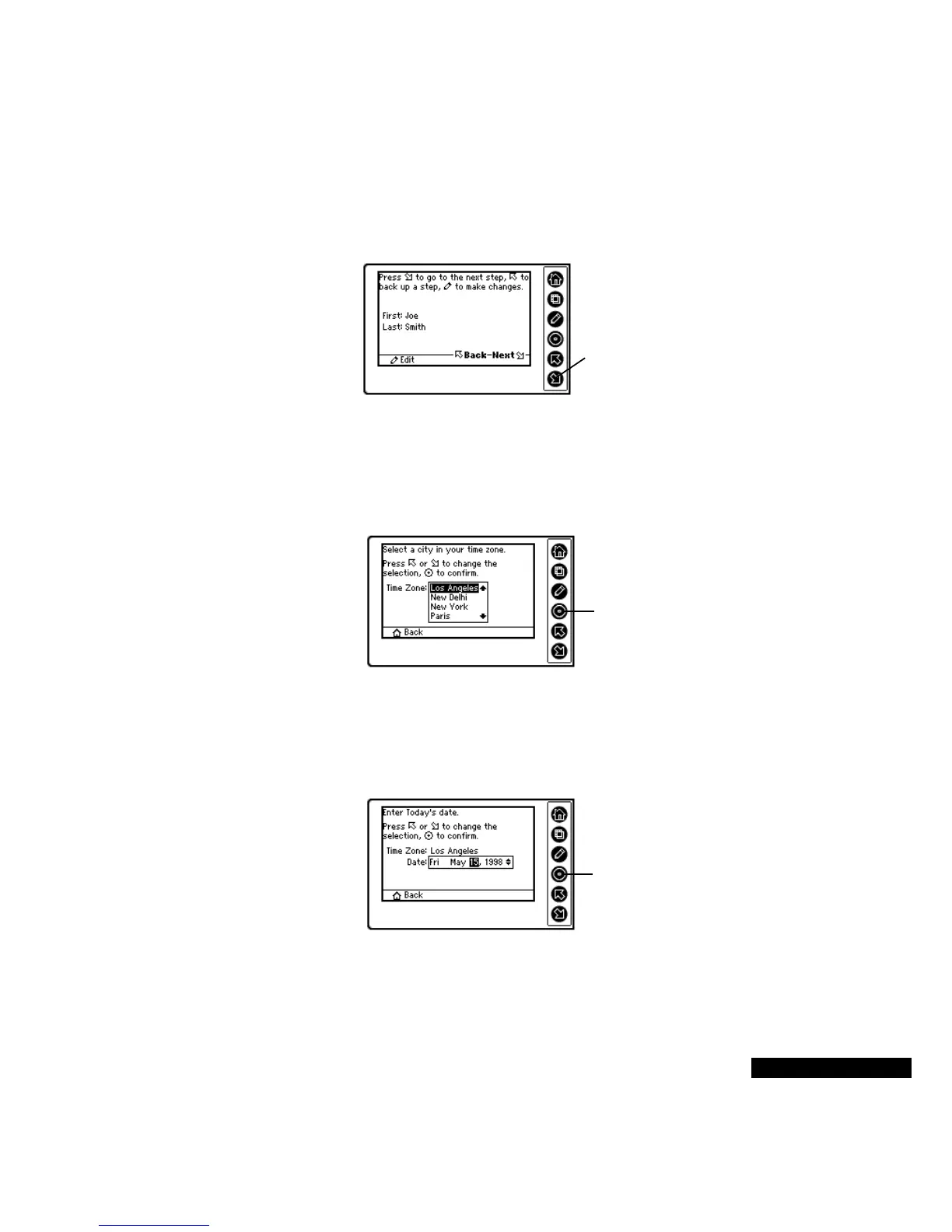
Now you can view the results of your entries. If everything appears
correct, press the Down key. To change something, press the Up key
to move back to the previous screen, or press the Edit key.
The next task is to customize the time zone setting. Use the Up or
Down key to select a city in your time zone. You can return to the
previous screen by pressing the Home key. Press the Select key to
enter your choice.
REX PRO also needs to know the date. Use the Up or Down key to
select the month, and then press the Select key. The highlight will
then move to the date. Use the Up or Down key to select the date, and
then press the Select key. Follow this same process to enter the year.
When everything’s just the
way you want it, press the
Down key.
Press the Select key
to continue with the
Wizard.
Press the Select key
after you have
completed the date
entry.



 To Next Page