34 Cyclone PRO User Manual
CYCLONE PRO
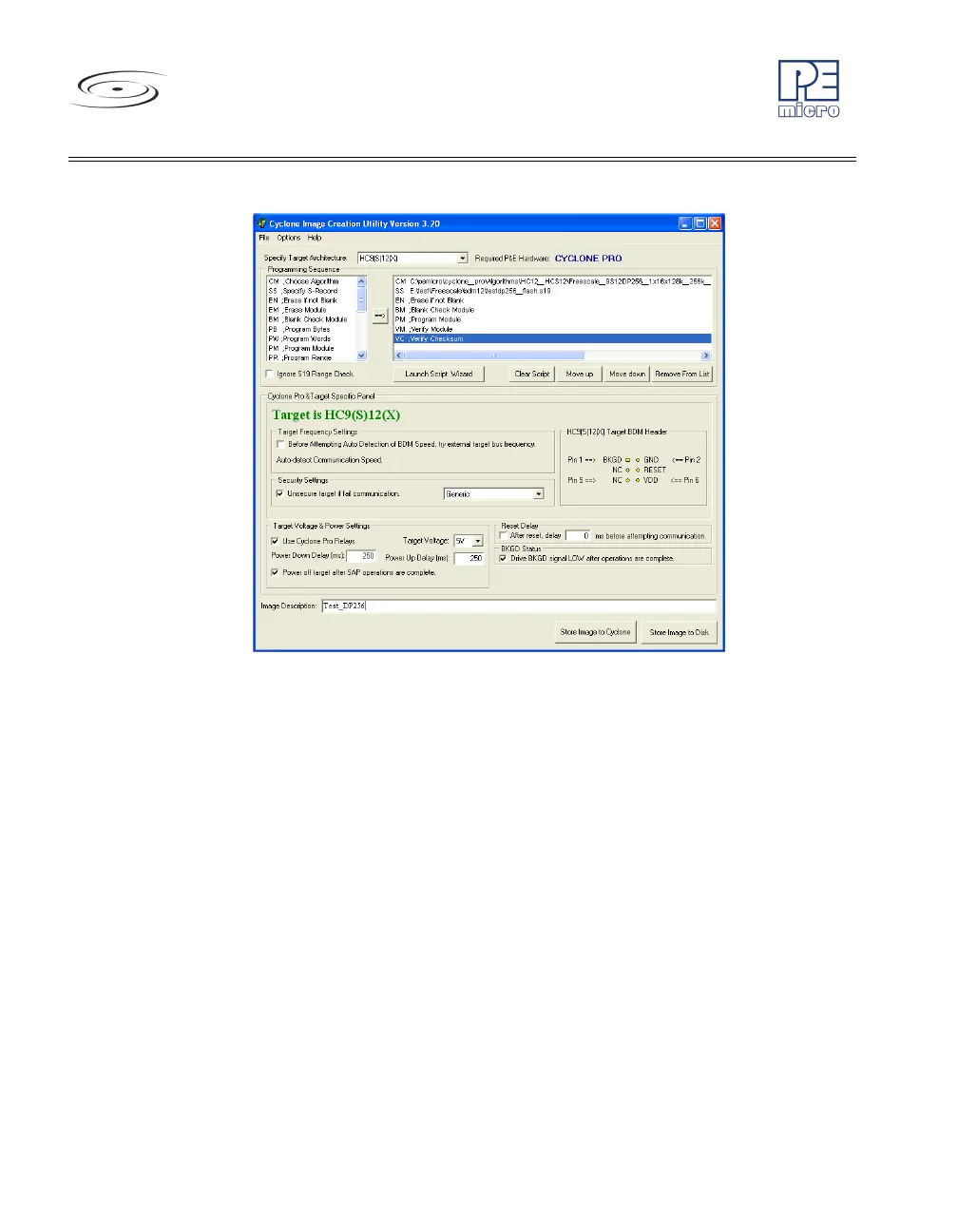
Figure 5-4: HC9(S)12(X) Class Settings
The target BDM header connections are shown on the right-hand side for
user reference.
The user may specify the target internal bus frequency in the edit box
provided. If the checkbox in the Target Frequency Settings is checked, the
Cyclone PRO will first contact the target with the specified frequency. If the
Cyclone PRO contacts the target successfully with the provided frequency,
the Cyclone PRO will continue executing the rest of the commands. If the
operation is unsuccessful, or if the checkbox is not checked, the Cyclone
PRO will automatically detect the correct communication speed and begin
executing the commands. The autodetection process will add time to the
programming process.
Depending on the programming algorithm, the user may be required to enter
the base address for the module. If the programming algorithm requires a
base address, the Module Base Address Settings will be displayed. The user
must enter the correct base address. Otherwise, the default value (0) will be
used. The base address is the address of the start of the flash module on the
device.



 To Next Page