Cyclone PRO User Manual 41
CYCLONE PRO
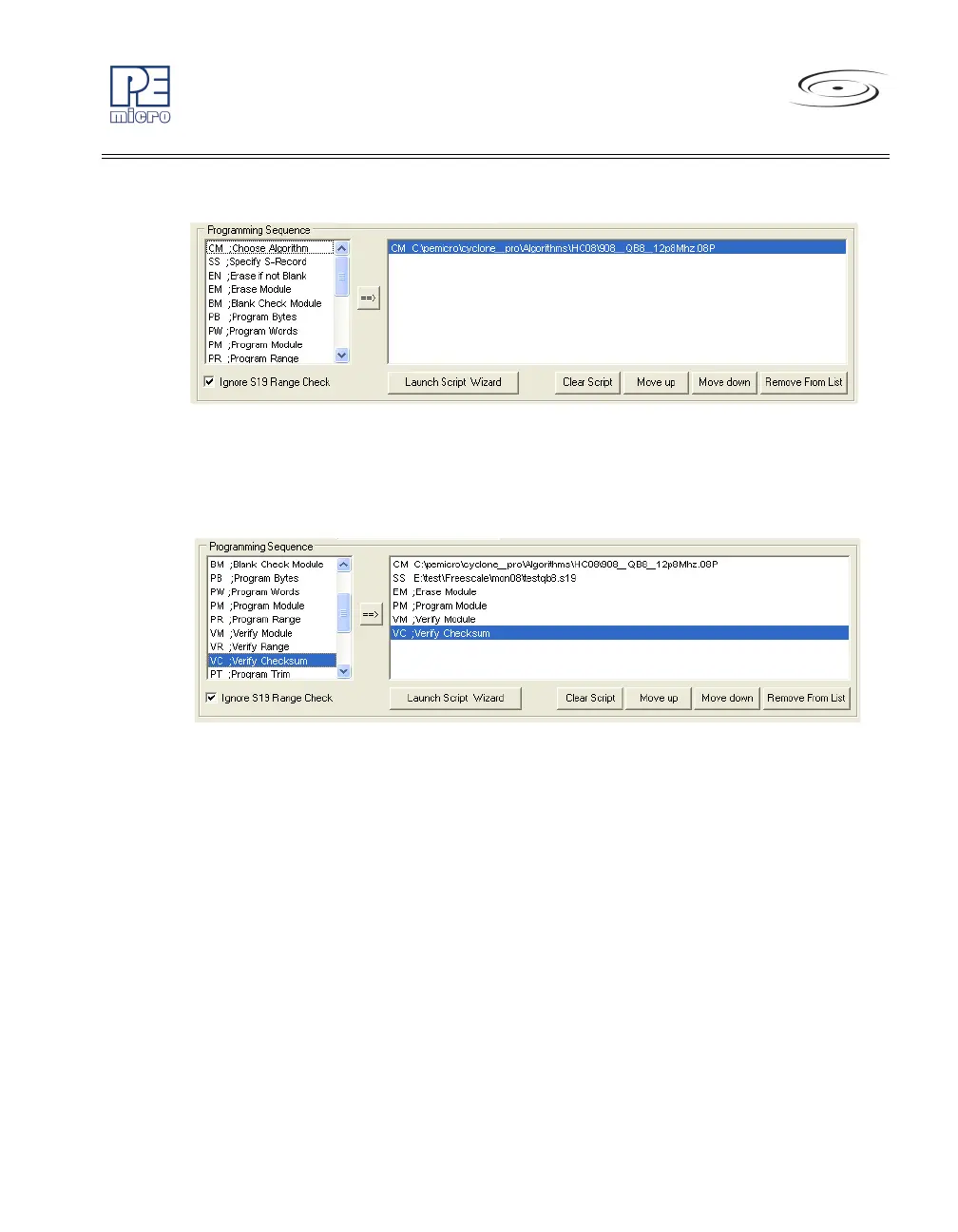
Figure 5-11: Programming Functions Enabled
Next, the user should add additional programming functions to complete the
programming script.
Figure 5-12: Programming Functions Complete
The Launch Script Wizard button prompts the user for a programming
module, followed by an S-Record, and creates a default programming script.
The user can then modify the programming sequence as needed.
The Clear button will remove all programming commands from the right panel.
The Move Up and Move Down buttons allow the user to manually re-
sequence the order of the programming commands.
The Remove button can be used to remove a selected command from the
right panel.
At this point the image can be saved to a disk or to the Cyclone PRO device.
For more information, please see Section 5.1.6 - Store Image To Cyclone.



 To Next Page