Functionality, Detroit Multifunction Control
Function/Switch Action/Position Request
D/N/R
D Forward gears
N Neutral
R Reverse gears
Mode
Depress switch and release it quickly
Activate the automatic drive mode, or switch between
Automatic Economy and Automatic Performance.
Depress switch and hold it briefly Activate the manual drive mode.
Upshifting and
Downshifting
Pull the lever toward you momentarily Upshift, single gear
Pull the lever toward you in quick repetitions Upshift, multiple gears
Push the lever away momentarily Downshift, single gear
Push the lever away in quick repetitions Downshift, multiple gears
Engine Brake
*
Lever at position 0 (top) Engine brake off
Lever at position 1 Low intensity
Lever at position 2 Medium intensity
Lever at position 3 (bottom) High intensity
*
For functions with cruise control active, see Chapter 5.
Table 15.1, Functionality, Detroit Multifunction Control
Engine Brake
The engine brake is controlled by the lever position
(as shown in
Fig. 15.1, Ref. C). At the top position,
the engine brake is off, and at the three lower posi-
tions, the engine brake is on and the intensity (low,
medium, high) increases with each step down. For
more information about using the engine brake, see
Chapter 13.
NOTE: Using the engine brake with cruise con-
trol can be used to activate Descent Control
Mode or Deceleration Mode. For more informa-
tion, see "Cruise Control" in
Chapter 5.
Power Up and Shift into Gear
1.
With the parking brake set and Neutral (N) se-
lected on the shift control, turn the ignition switch
to the ON position.
2.
Start the engine.
3.
Apply the service brake.
4.
Select the desired starting gear.
5.
Release the parking brake.
6.
Release the service brake and apply the accel-
erator.
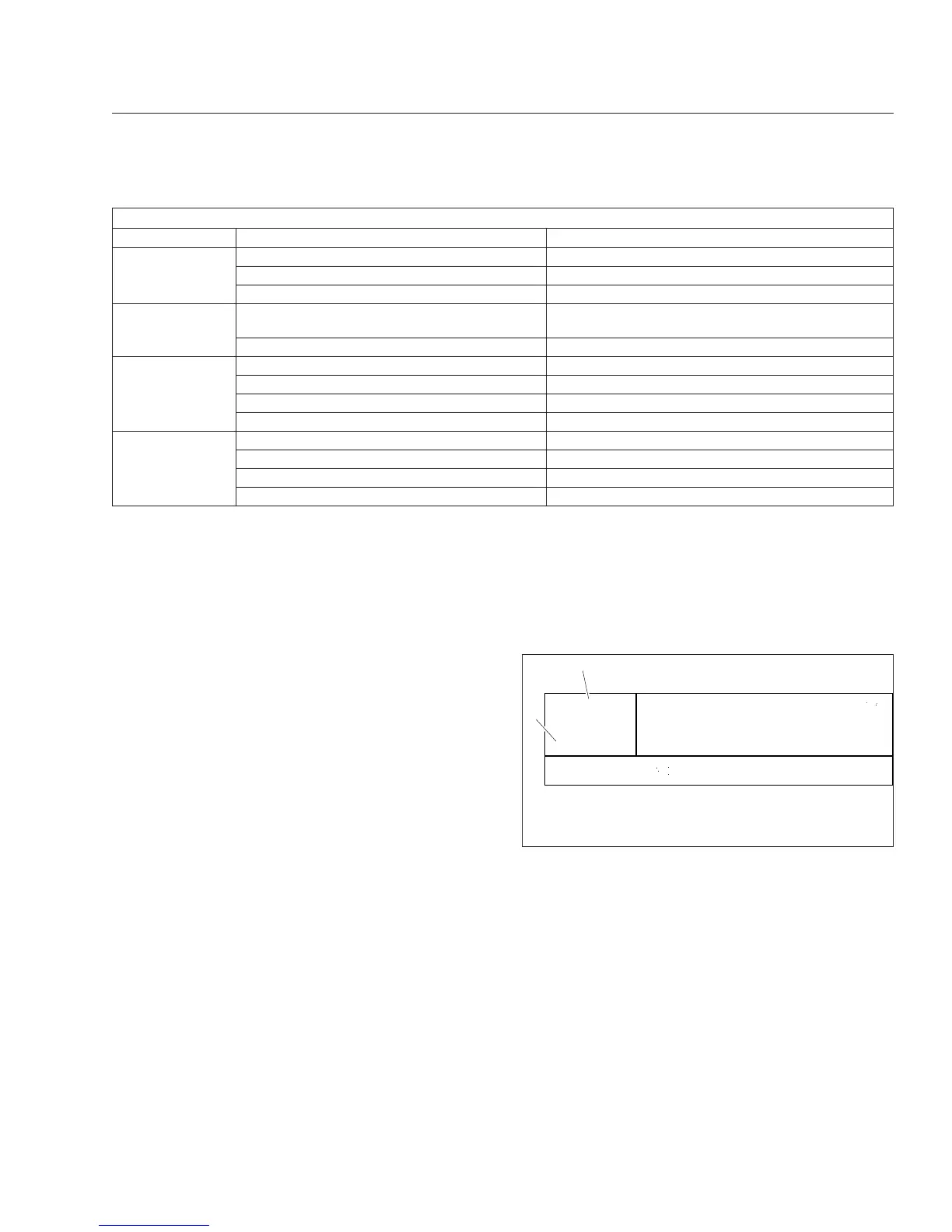
Gear Display Window
The gear display window shows the current transmis-
sion gear and driving mode. See
Fig. 15.2.
Driving Modes
There are three driving modes: Manual, Automatic
Economy, and Automatic Performance.
In Automatic Economy mode, gear shifts are de-
signed for saving fuel. In Automatic Performance
mode, gear shifts are designed for higher perfor-
mance and are made at higher engine speeds. In
manual mode, gear shifts are requested manually.
See
Chapter 5 for more information about upshifting
and downshifting using the control.
5
A
econ
07/09/2012 f611187
1
2
N
70 °F
1. Driving Mode
2. Current Gear
Fig. 15.2, Gear Display Window
Automated Transmissions
15.2











 To Next Page