Hard-Braking Advisor
The hard-braking advisor uses the information from
the ABS wheel speed sensors to determine when
braking is severe enough to produce lockup at one
or more wheels on the tractor, and/or very rapid ve-
hicle deceleration. Shortly after a hard-braking event
occurs, an advisory message is displayed in the
driver message center, indicating that the braking
behavior was too aggressive for the current road sur-
face conditions. This system is not a replacement for
a driver’s good judgment. Sometimes it is necessary
to brake hard.
From the highest risk level to the lowest risk level,
the system will sound an audible alert, and display a
message, as shown in
Fig. 6.29.
Trip/Leg Totals
The driver message center records the number of
messages received, and displays the number of
messages as counts. Roll stability advisor (RSA) and
hard-braking event data (HBED) counts can be
viewed in the trip advisory screen, and the leg advi-
sory screen.
Counts can be reset using the + key on the steering
wheel. Clearing RSA and HBED leg counts will also
reset the leg miles and leg hours. Clearing RSA and
HBED trip counts will also reset trip miles, trip hours,
leg miles, leg hours, and leg advisory counts. In ad-
dition, resetting leg miles will clear leg counts. Clear-
ing trip miles will reset miles, hours, and counts in
both the leg and trip screens.
The TRIP and LEG advisor screens count both the
roll stability advisories (ROLL) and hard-braking
events (BRK). For example, if during a TRIP, the
driver message center recorded the events in
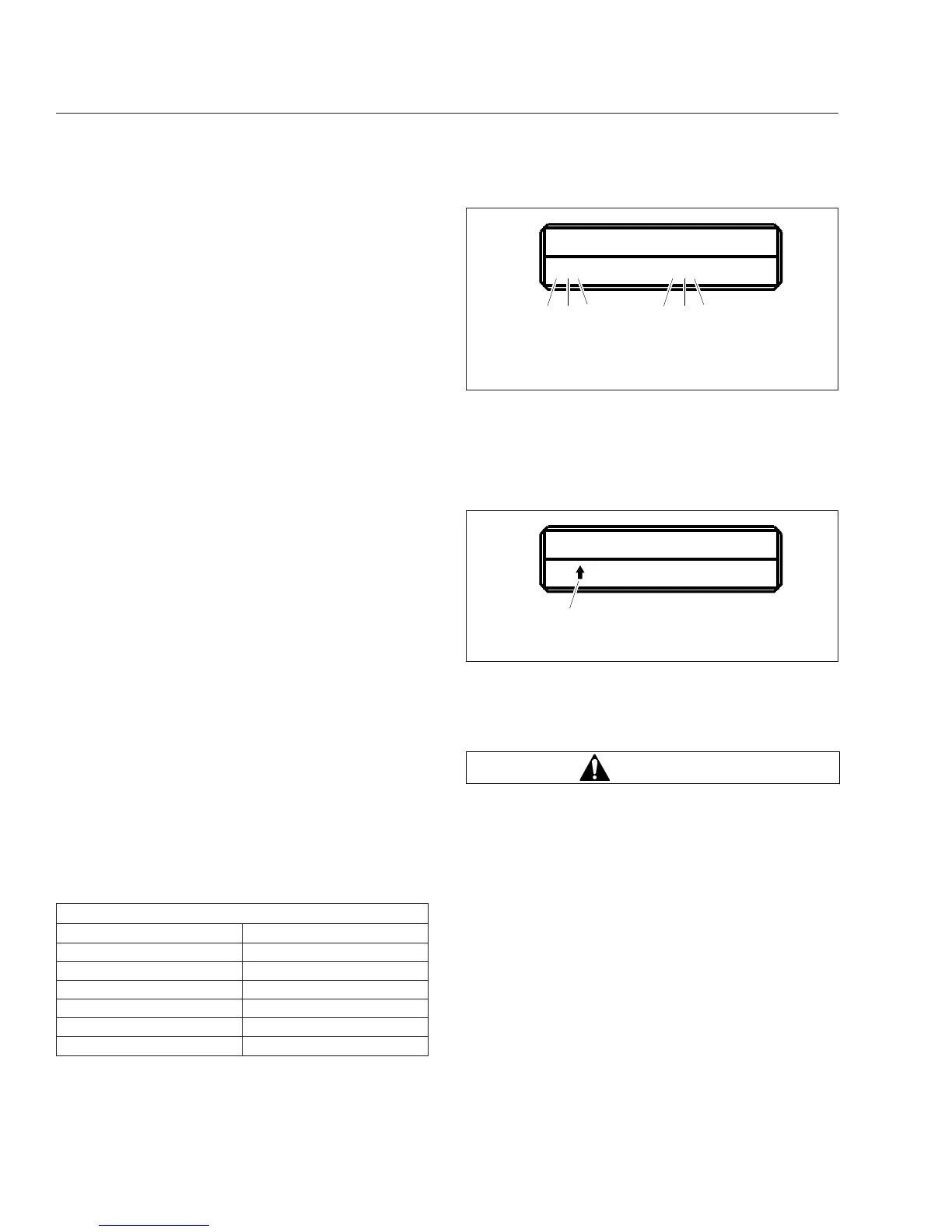
Table 6.1, the message center would display as
shown in Fig. 6.30.
RSA/HBED Count
Message Received Message Counts
RSA Level 3 2
RSA Level 2 3
RSA Level 1 7
HBED Level 3 5
HBED Level 2 1
HBED Level 1 8
Table 6.1, RSA/HBED Count
If the count reaches more than 9 occurrences an up-
arrow symbol will appear, to indicate to the driver
that the count has exceeded 9 counts. See
Fig. 6.31.
Enhanced Stability Control
WARNING
Enhance Stability Control (ESC) is intended only
as an aid for a conscientious and alert driver.
Carefully read the information in this manual to
understand this system and its limitations. ESC
is not a substitute for safe driving procedures.
Failure to drive safely, and use the system prop-
erly, could result in personal injury and/or death
and property damage.
ESC offers the full capability of RSC (shown above)
with the added capability of complete directional sta-
bility (yaw control) in oversteer and understeer condi-
tions to reduce the likelihood of drift-out or jackknife.
The system determines where the driver is attempt-
ing to steer the vehicle and how much brake demand
is required in order to more precisely control the ve-
hicle in an emergency situation.
07/25/2008
TRIP ADVISORIES
237 ROLL 518 BRK
f040770
ABC DEF
A. RSA lev. 3 Count (2)
B. RSA lev. 2 Count (3)
C. RSA lev. 1 Count (7)
D. HBED lev. 3 Count (5)
E. HBED lev. 2 Count (1)
F. HBED lev. 1 Count (8)
Fig. 6.30, Trip Advisor Message Screen
07/25/2008
TRIP ADVISORIES
23 ROLL 518 BRK
f040771
A
A. RSA Lev. 1 has more than 9 counts.
Fig. 6.31, Trip Advisor Message Screen (more than 9
counts)
Driver Assistance Features
6.13











 To Next Page