•
Seat Tilt allows the seat assembly (back and
bottom cushions) to tilt forward or backward.
•
Headrest Adjustment changes the angle of the
upper part of the backrest to provide head and
upper back support.
Cascadia 2.0 High-Back Seat
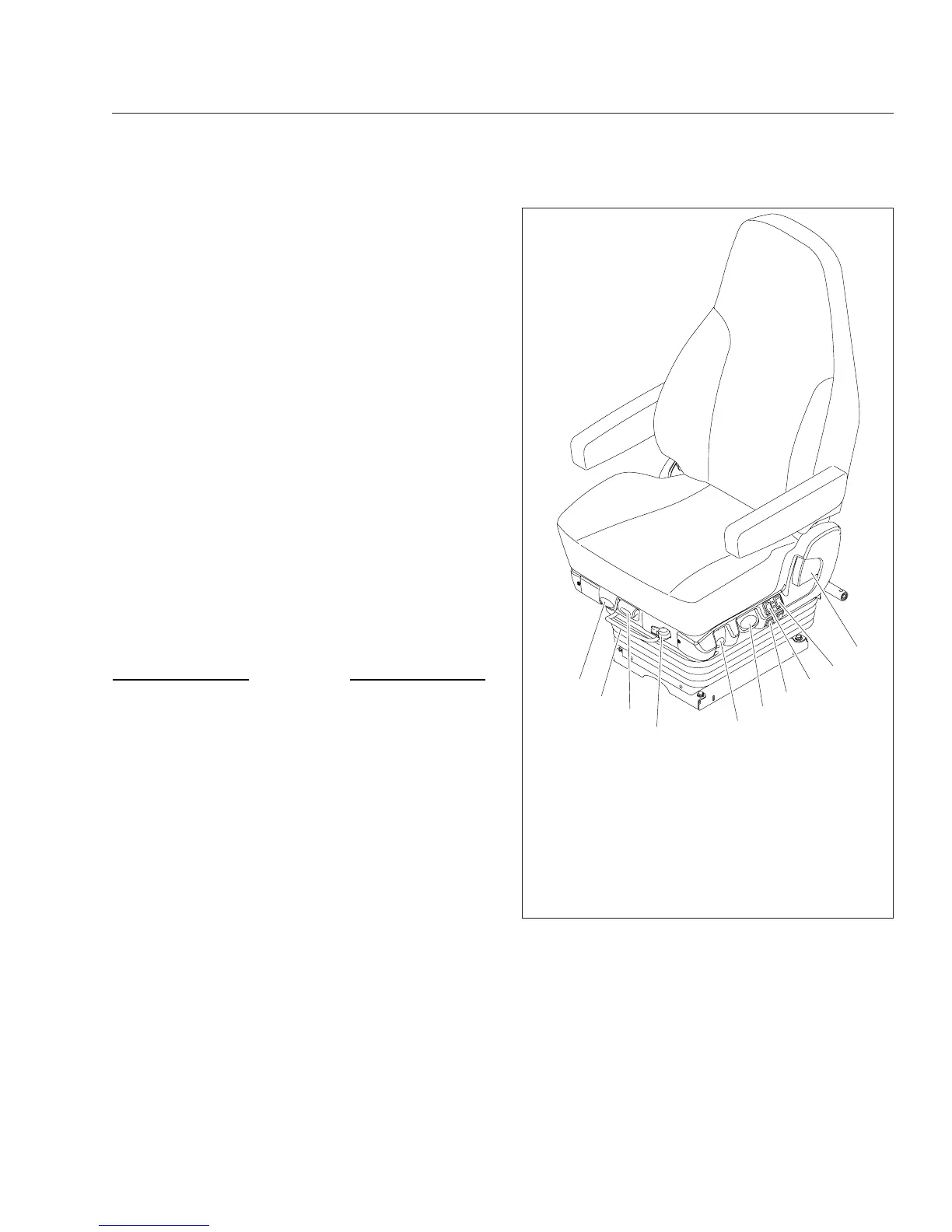
See Fig. 7.2 for seat adjustment controls. Not all
models of the Cascadia 2.0 Hi-Back seat have all the
adjustments listed below.
Recline
Pull the recline handle to adjust the backrest tilt.
Seat Heating/Ventilation
Use the forward switch to turn the seat heater and
ventilation ON or OFF. To turn on the heat, push the
top of the switch. To turn on the ventilation, push the
bottom of the switch. To turn off the heat or ventila-
tion, move the switch to the middle position. To ad-
just the heat or ventilation, Use the rear button to
adjust seat heating or ventilation. Three settings are
available: low, medium, and high. See
Fig. 7.3.
NOTICE
Do not install seat covers on seats with heating
and ventilation. Do not cover the seat with blan-
kets, clothing, or pillows. Blocking the air flow
through the cushions can overheat and damage
the seat.
IMPORTANT: Turn off seat heating/ventilation
when the seat is unoccupied.
Lumbar Support
Press the forward button to adjust lower lumbar sup-
port, the middle button to adjust upper lumbar sup-
port, and the rear button to adjust side support.
Height Adjustment
Pull or push the lever to adjust seat height.
Shock Absorber Adjustment
Move the lever down to increase damping on rough
roads, or up to decrease damping on flat roads.
Fore/Aft Isolator
Rotate the isolator knob to the left to lock the isola-
tor, or to the right to allow movement.
05/11/2012 f910682
1
2
3
4
5
6
7
8
9
10
1. Recline Handle
2. Heat/Ventilation Adjustment Switch
3. Heat/Ventilation ON/OFF Switch
4. Lumbar and Side Support Switches
5. Height Adjustment Lever
6. Shock Absorber Adjustment Lever
7. Fore/Aft Isolator Lever
8. Bottom Cushion Extension Lever
9. Seat Fore/Aft Slide Lever
10. Seat Tilt Lever
Fig. 7.2, Cascadia 2.0 Hi-Back Seat
Seats and Restraints
7.2











 To Next Page