Air Slide Operation
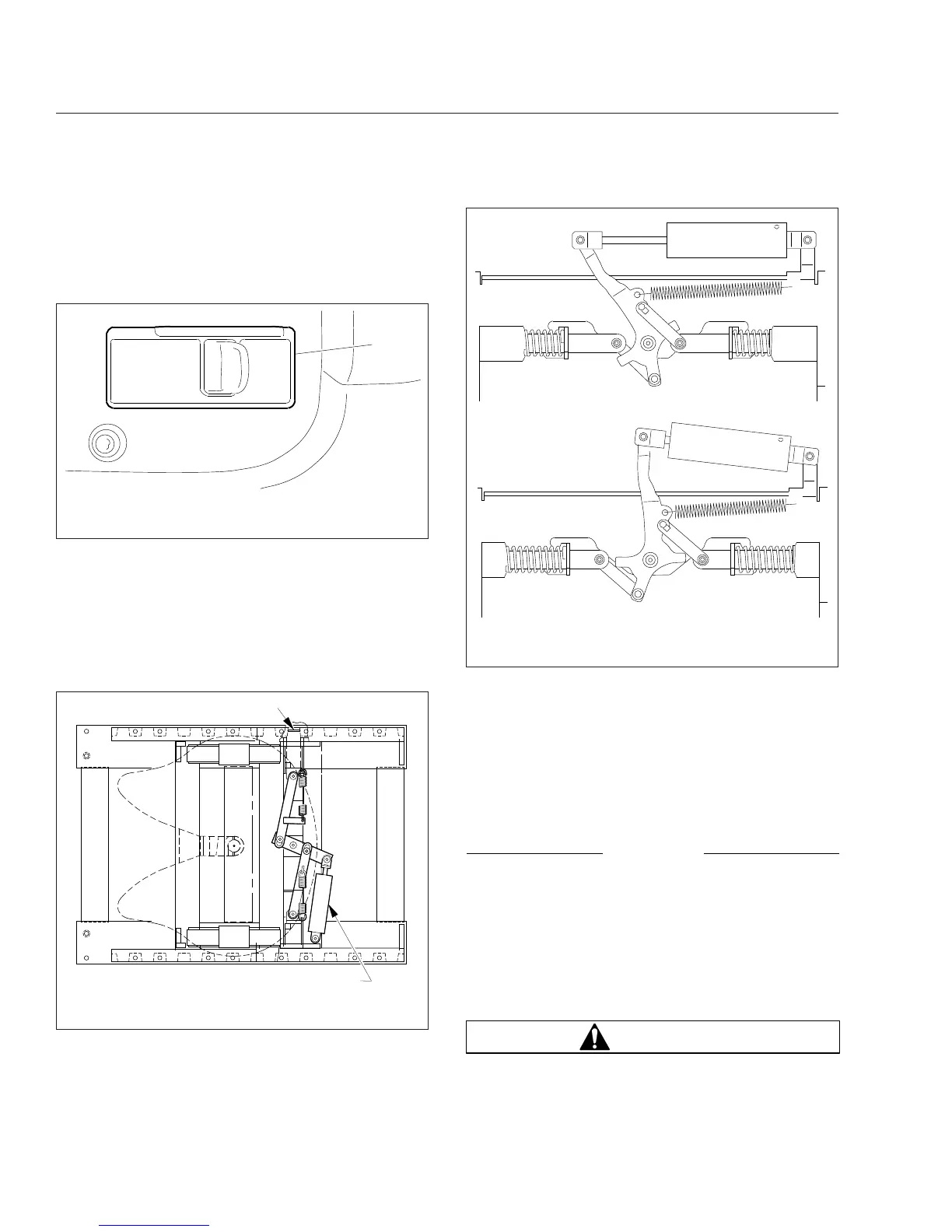
The slide feature may be operated with an air switch
mounted in the dash, that operates an air cylinder
that locks and unlocks the slide. See
Fig. 18.14.
1.
Set the air-slide switch (Fig. 18.14) to UNLOCK.
Ensure the locking plungers have released. See
Fig. 18.15.
For Jost fifth wheels, the mechanism activates as
shown in
Fig. 18.16.
2.
Lower the trailer landing gear just enough to re-
move the weight from the tractor.
3.
Pull the red trailer-air-supply knob to set the
trailer-parking brakes.
4.
Slowly move the tractor forward or backward
until the fifth wheel is in the desired location.
NOTICE
Ensure the trailer landing gear does not come in
contact with the tractor frame or other compo-
nents, and that the front of the trailer will not
come in contact with the rear of the cab or other
components if they extend beyond the rear of the
cab.
5.
Apply the tractor parking brakes.
WARNING
Check that the locking wedges have seated in the
slots. Failure to achieve complete lockup may
LOCKUNLOCK
FIFTH
WHL
SLIDE
MUST BE
LOCKED WHEN
VEHICLE IS IN
MOTION
10/22/2009 f611074
1
1. Fifth Wheel Air-Slide Switch
Fig. 18.14, Air-Slide Switch
07/25/95
f310189
1
2
1. Locking Wedge 2. Air Cylinder
Fig. 18.15, Air-Operated Sliding Fifth Wheel (Fontaine
shown)
09/10/2010 f311131
A
B
A. Unlocked B. Locked
Fig. 18.16, Jost Sliding Fifth Wheel
Fifth Wheels
18.9











 To Next Page