Configuring/Starting Job Flow
311
Send from Folder
6
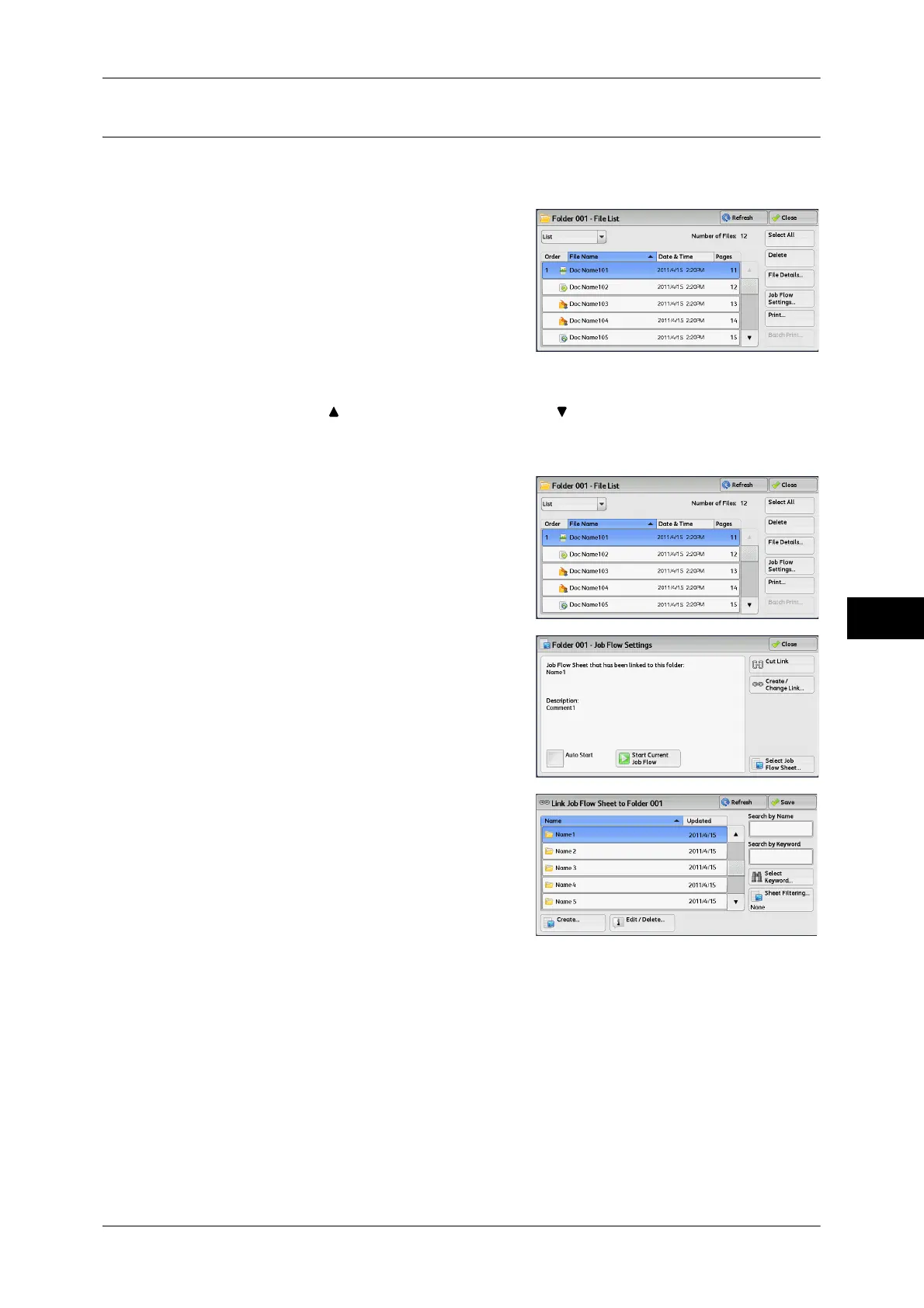
[Link Job Flow Sheet to Folder] Screen
You can change the link between the folder and its job flow sheet.
Note • Linking, delinking, and auto start settings can be also performed when you create a folder.
1 Select a job flow sheet to link to.
Important • Selecting [Save] without selecting a job
flow sheet does not set a link. If the
selected job flow sheet is already linked, the link is canceled.
Note • Select [ ] to return to the previous screen or [ ] to move to the next screen.
• You can sort the list in ascending or descending order by selecting either [Name] or
[Updated].
2 Select [Job Flow Settings].
3 Select [Create/Change Link].
4 Select any option.
Refresh
Displays the updated information.
Create
Displays the [Create New Job Flow Sheet] screen.
For more information, refer to "5 Tools" > "Setup" > "Create Job Flow Sheet" > "Create New Job Flow
Sheet" in the Administrator Guide.
Edit/Delete
Displays the [Details] screen.
For more information, refer to "5 Tools" > "Setup" > "Create Job Flow Sheet" > "Edit/Delete" in the
Administrator Guide.



 To Next Page
 Loading...



