5-70
5.5 Carrier Adjustment/Maintenance (04)
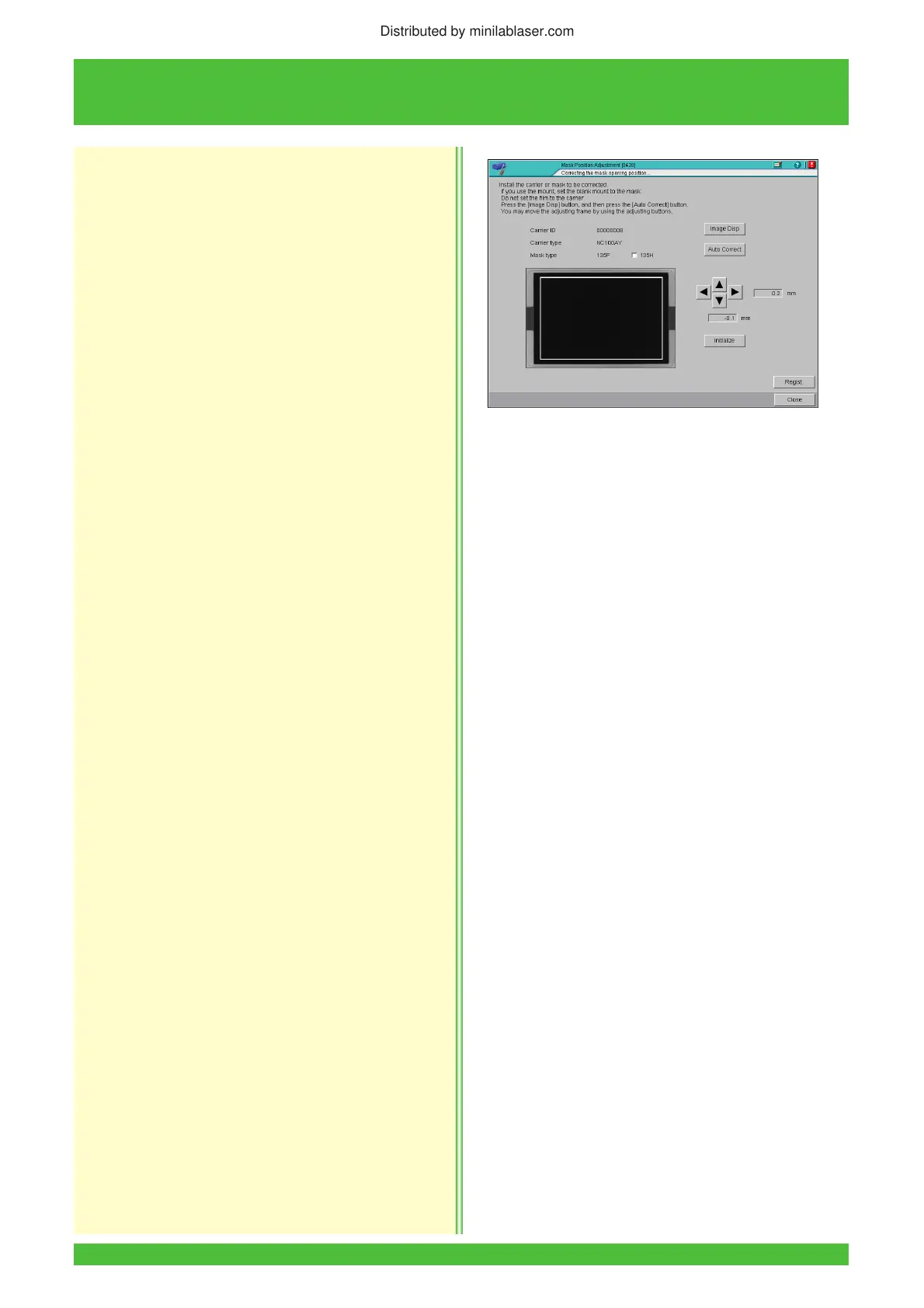
2. Click the [Image Disp] button.
• The mask and adjustment frames are displayed.
3. Click the [Auto Correct] button.
• The mask opening position is corrected
automatically and the horizontal and vertical
correction values are displayed in the “Position
Adjust” boxes.
4. If necessary, adjust position manually by clicking
the “Position Adjust” arrow buttons.
NOTE: Click the [Initialize] button to return to “0.0mm”
position.
5. Click the [Regist.] button.
6. Click the [Close] button.
• Operation returns to the menu screen.
Distributed by minilablaser.com



 To Next Page