11-33
11.2 Back Printing Section
11
Removal
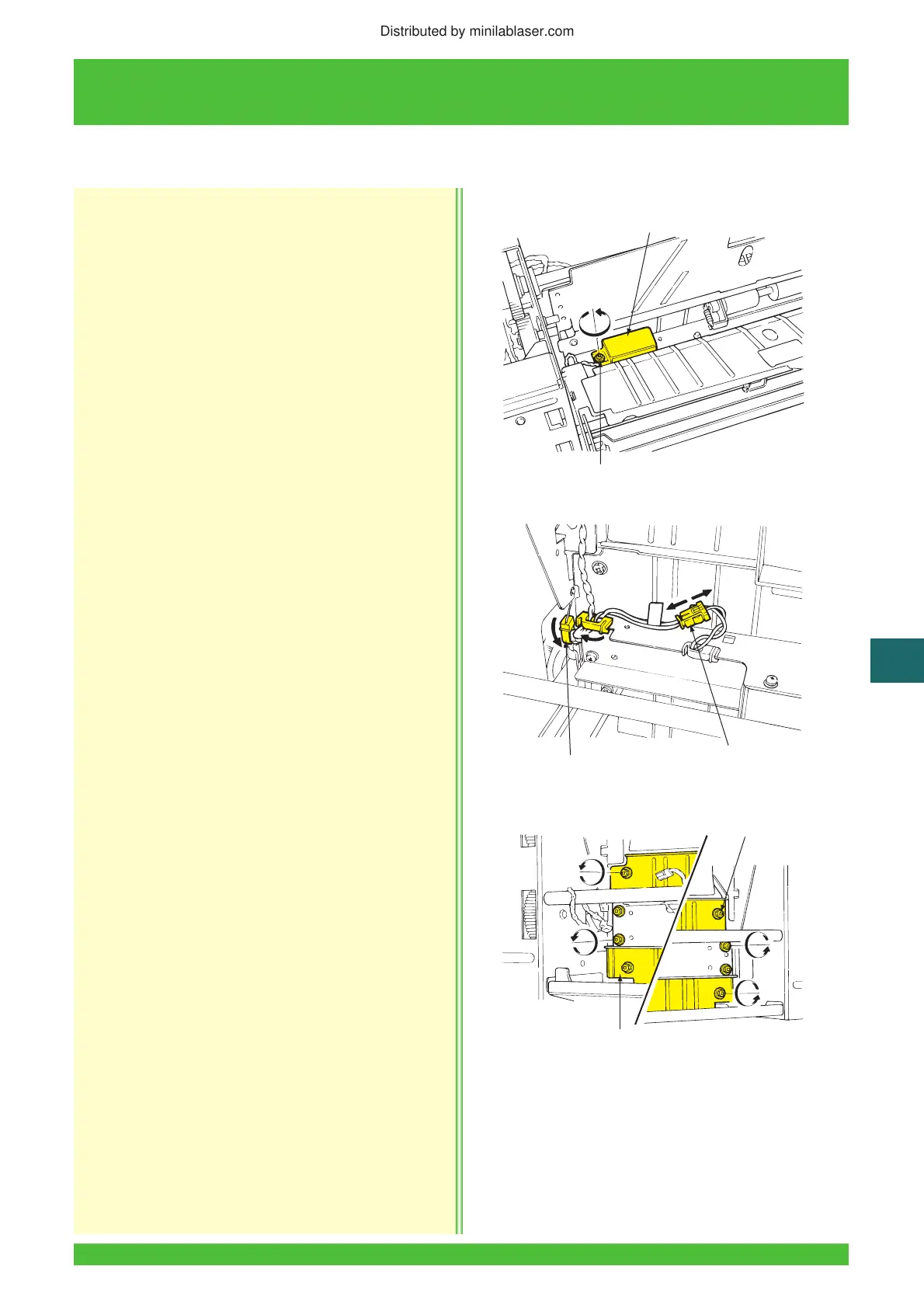
1. Remove the back printing/feed unit
(See Subsection 11.2.1).
2. Remove the screw and then the connector cover.
3. Disconnect the connector (S631) and open the
two clamps.
4. Remove the eight screws and then the entrance
guide plate.
Reinstallation
Reinstallation is essentially in the reverse order of
removal.
11.2.14 Back Printing Entrance Guide Plate Removal/Reinstallation
LII068
Screws
Connector Cover
LII088
Clamps (2)
Connector
LII089
Screws (8)
Entrance Guide Plate
Distributed by minilablaser.com




 To Next Page