84
5
Taking Photographs
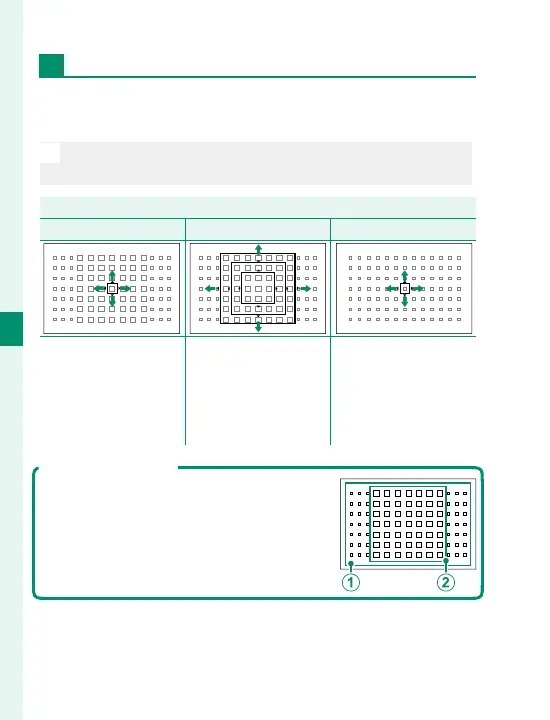
The Focus-Point Display
The focus-point display varies with the option select-
ed for AF mode.
N
Focus frames are shown by small squares (), focus
zones by the large squares.
AF mode
r
SINGLE POINT
y
ZONE
z
WIDE/TRACKING
Number of points
available can be select-
ed using
G
AF/MF
SETTING> NUMBER
OF FOCUS POINTS.
Choose from zones
with 7 × 7, 5 × 5, or
3 × 3 focus points.
Position focus frame
over subject and press
MENU/OK.
Available Focus Points
TTL contrast-detect AF o ers more focus
points (
A
) than intelligent hybrid AF
(
B
), which combines phase-detection
with TTL contrast-detect AF.



 To Next Page