48
3
Basic Photography and Playback
Taking Photographs (Mode P)
This section describes how to take pictures us-
ing program AE (mode P). See pages 62–73
for information on S, A, and M modes.
1
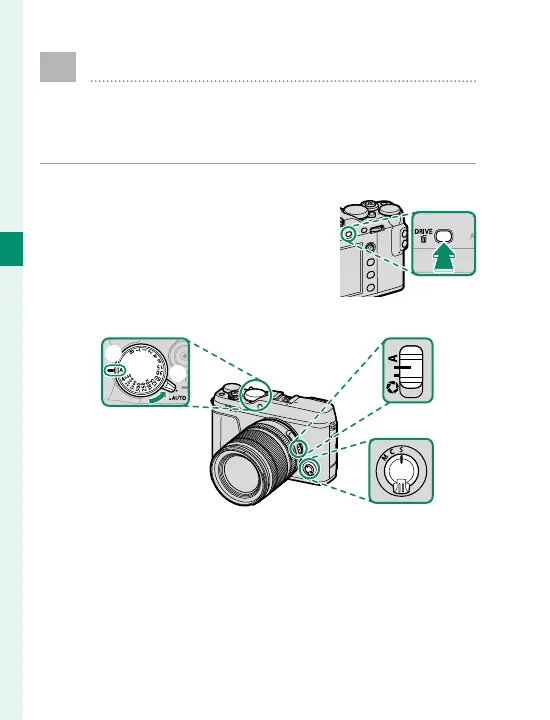
Select B (STILL IMAGE) drive mode.
Press the DRIVE button and se-
lect
B (STILL IMAGE) from the
list of drive mode options.
2
Adjust settings for program AE.
C
D
B
A
A
Auto mode selector lever (
P
7): Select z.
B
Shutter speed (
P
62): Select A (auto).
C
Focus mode (
P
78): Select S (single AF).
D
Aperture (
P
62): Select A (auto).



 To Next Page