254
Shortcuts
9
Assigning Roles to the Function Buttons
To assign roles to the buttons:
1
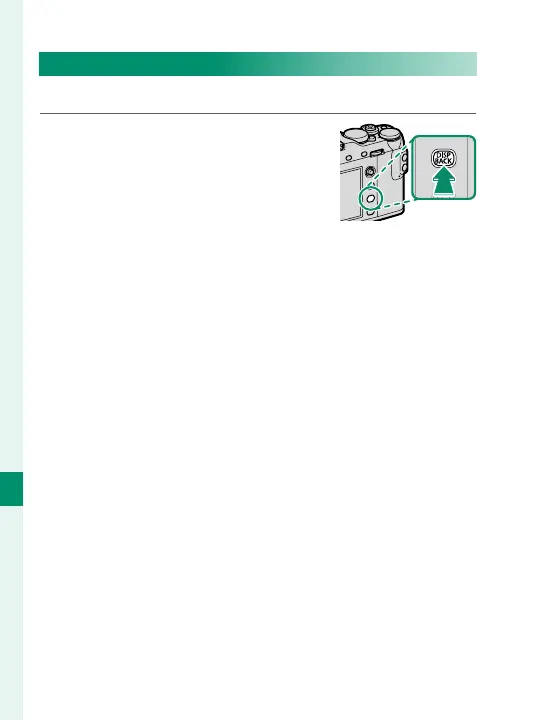
Press and hold the DISP/BACK
button until a button selection
menu is displayed.
2
Highlight a button and press MENU/OK.
3
Highlight the desired role and press MENU/OK to
assign it to the selected button. Choose from:
•
IMAGE SIZE
•
IMAGE QUALITY
•
RAW
•
FILM SIMULATION
•
GRAIN EFFECT
•
DYNAMIC RANGE
•
WHITE BALANCE
•
SELECT CUSTOM SETTING
•
FOCUS AREA
•
FOCUS CHECK
•
AF MODE
•
AF-C CUSTOM SETTINGS
•
FACE/EYE DETECTION SETTING
•
SELF-TIMER
•
AE BKT SETTING
•
PHOTOMETRY
•
SHUTTER TYPE
•
ISO
•
WIRELESS COMMUNICATION
•
FLASH FUNCTION SETTING
•
TTL-LOCK
•
MODELING FLASH
•
MIC LEVEL ADJUSTMENT
•
PREVIEW DEPTH OF FIELD
•
PREVIEW EXP./WB IN MANUAL MODE
•
PREVIEW PIC. EFFECT
•
HISTOGRAM
•
AE LOCK ONLY
•
AF LOCK ONLY
•
AE/AF LOCK
•
AF-ON
•
APERTURE SETTING
•
AUTO IMAGE TRANSFER
•
Bluetooth ON/OFF
•
PLAYBACK
•
NONE (control disabled)



 To Next Page