282
Connections
11
HDMI Output
Camera shooting and playback displays can be
output to HDMI devices.
Connecting to HDMI Devices
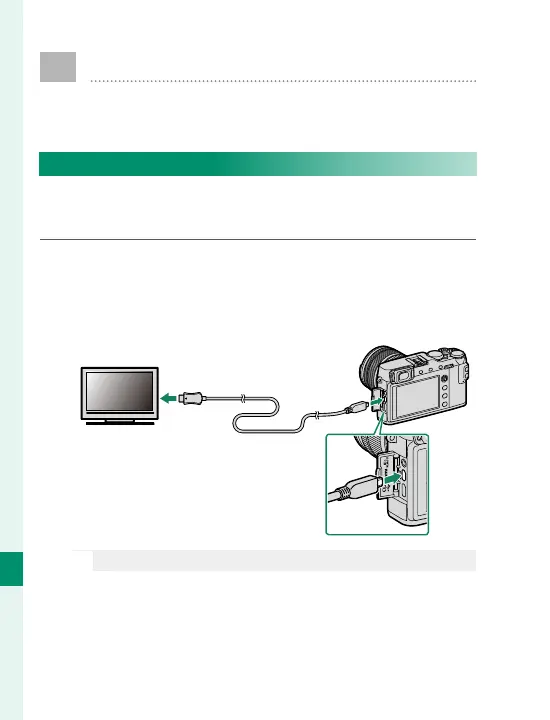
Connect the camera to TVs or other HDMI devices us-
ing a third-party HDMI cable.
1
Turn the camera o .
2
Connect the cable as shown below, making sure
the connectors are fully inserted.
O
Use an HDMI cable no more than 1.5m (4.9ft.) long.
3
Con gure the device for HDMI input as described
in the documentation supplied with the device.
Insert into HDMI
connector
Insert into HDMI Micro
connector (Type D)



 To Next Page