37
2
First Steps
Inserting Batteries and Memory Cards
2
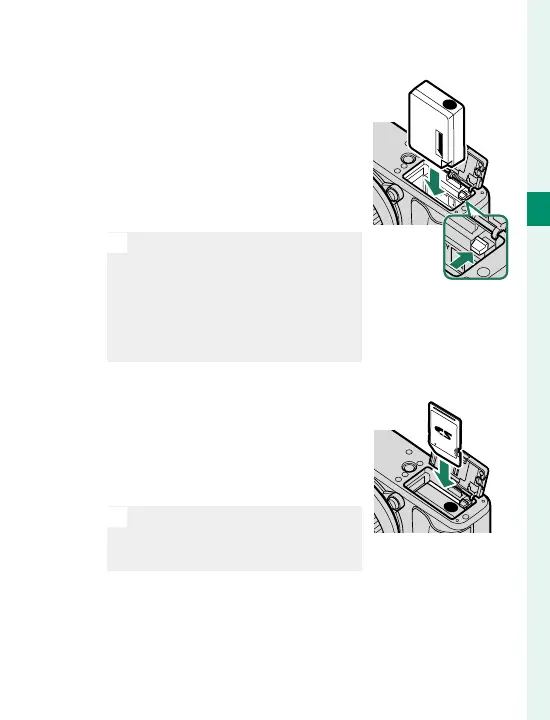
Insert the battery.
Using the battery to keep the
battery latch pressed to one
side, insert the battery contacts
rst in the direction shown by
the arrow. Con rm that the
battery is securely latched.
O
Insert the battery in the orien-
tation shown. Do not use force
or attempt to insert the battery
upside down or backwards.
The battery will slide in easily
in the correct orientation.
3
Insert the memory card.
Holding the card in the orien-
tation shown, slide it in until it
clicks into place at the back of
the slot.
O
Be sure card is in the correct
orientation; do not insert at an
angle or use force.



 To Next Page