137
How to operate the Sound Adjustment Mode
IX
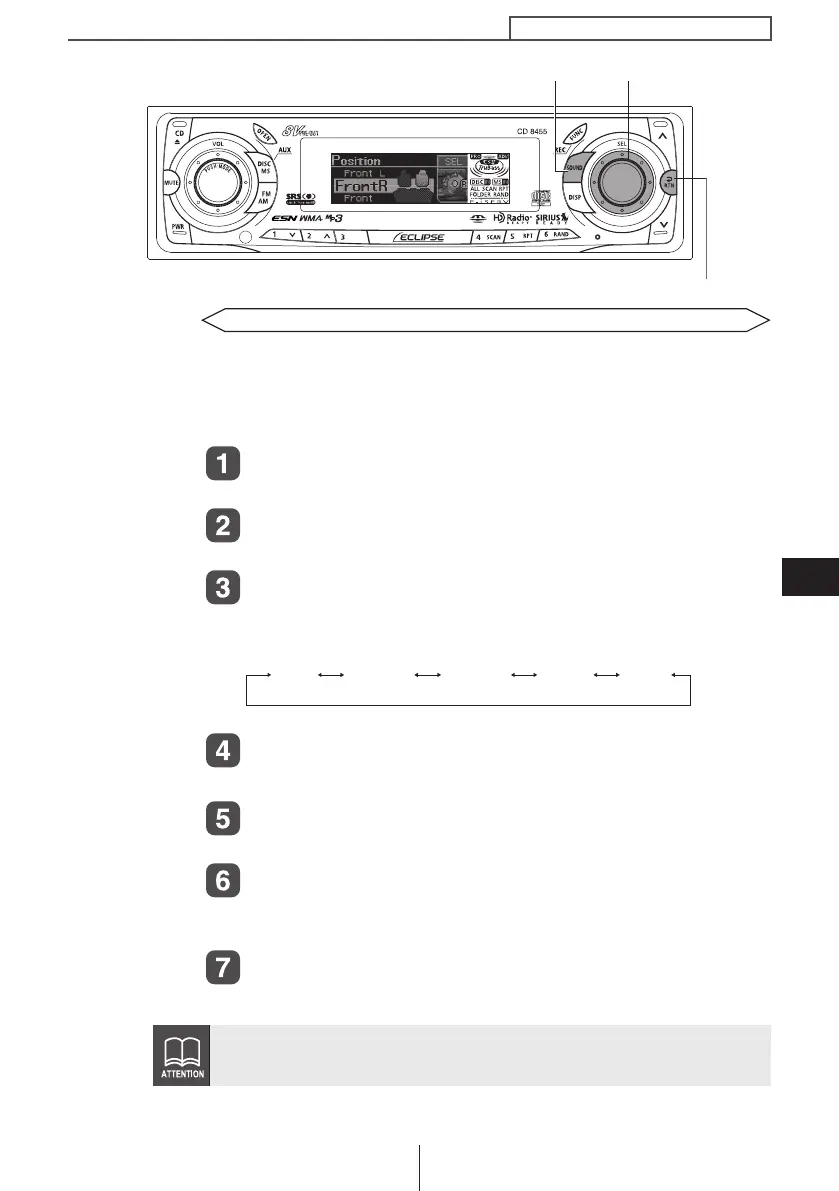
Position selector setting (Position)
When the position of the listener's seat is selected, the time taken
for the sound to travel from the speakers to the listener can then be
adjusted in order to obtain a more natural sound orientation. This
deck allows up to four different positions to be set.
Turn the [SEL] button to select Position.
The selected item will be highlighted.
Press the [SEL] button.
The mode will change to position selector setting mode.
Turn the [SEL] button to select the setting item.
When the button is turned, the setting item changes in the
following order and the selected item is highlighted.
Press the [SEL] button.
The selected settings will take effect.
Press the [RTN] button.
Other time alignment items can be set at this time.
Press the [RTN] button.
At this time, other adjustments can also be made in normal
mode.
Press the [SOUND] or [RTN] button to exit sound
adjustment mode.
If the position selector has been set (to a setting other than OFF), the
BAL (balance) and FAD (fader) settings will be canceled.
[SOUND] button
[RTN] button
[SEL] button
OFF Front L Front R Front Rear
CD8455.book 137 ページ 2004年12月11日 土曜日 午後7時24分



 To Next Page