Chapter 2 Installation and Connection
IP-9500e
26
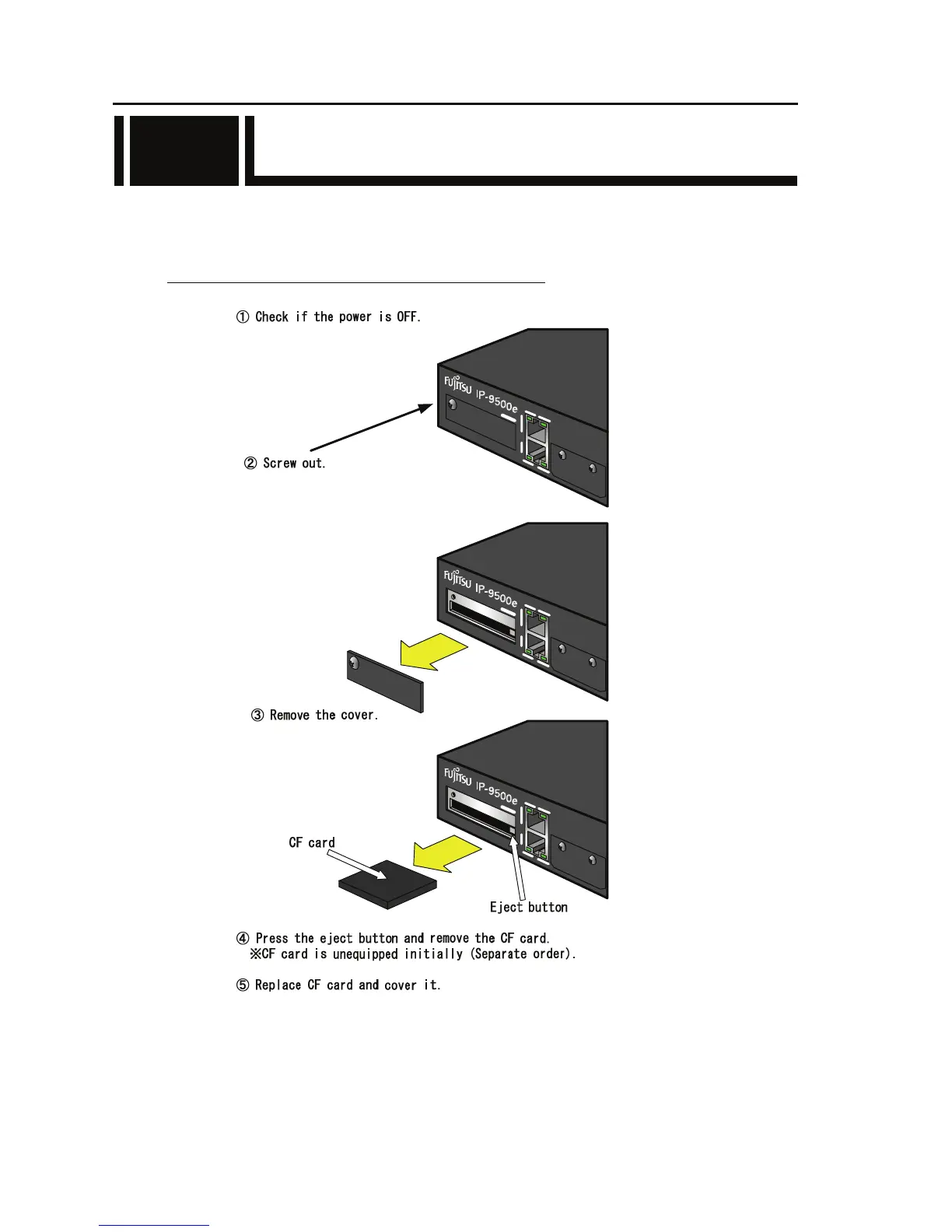
2.6 CF Card Insertion and Removal
In order to insert the CF card, the front cover of IP-9500e must be opened by screwing out the cover.
No storage card is supplied with IP-9500e. It can be procured separately, depending on the system.
The CF card removal procedure is shown below.
Please turn off the power to insert or remove the CF card.
Please contact Fujitsu office what type of CF card is available to use.
2.6



 To Next Page