Chapter 3 Operation instructions
IP-9500e
39
3.3.3 Software management
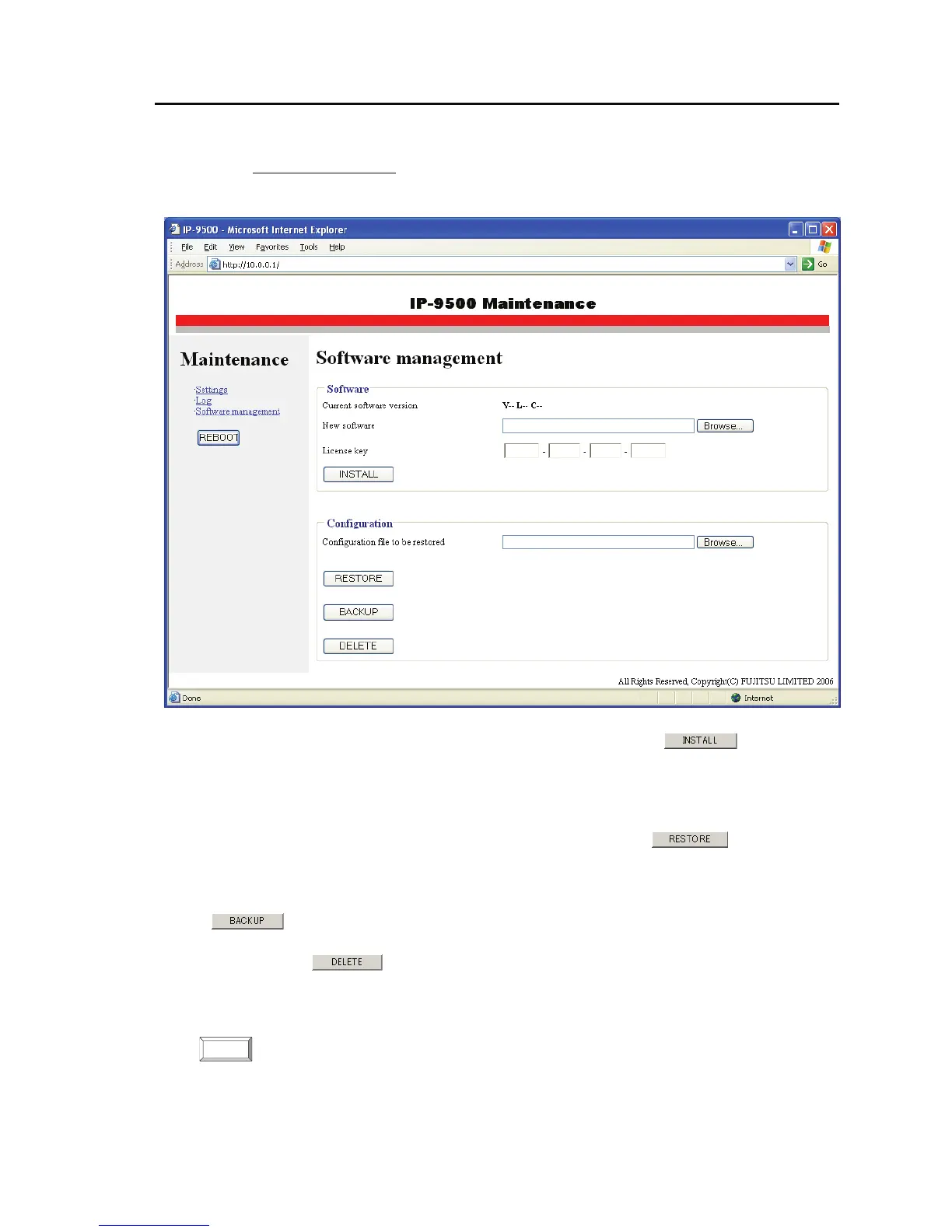
Click Software management in the left frame of the browser screen to display the software
management page in the right frame of the browser screen, where you can install software or restore,
save, or delete configuration data.
■Software
Specify an update file and enter the license key, and then click the
button to start
installing the software.
■Configuration (configuration data)
●Restoring all the configuration data
Specify the file containing the configuration data and then click the
button to restore
all the configuration data saved in the past.
●Saving all the configuration data
All the configuration data currently stored on the device can be saved to a PC by clicking the
button.
●Deleting all the configuration data
Clicking the
button deletes all the configuration data currently stored on the device.
Information such as IP addresses is also reset to the initial values with which the device was shipped
from the factory.
Changing (restoring or deleting) the configuration data, in some cases, changes IP
addresses, subnet masks, and the gateway address. Be careful because doing this may
cause an unexpected problem with your network.
NOTE:



 To Next Page