Chapter 2 Installation and Connection
IP-9500e
24
2.4 Connection to Network
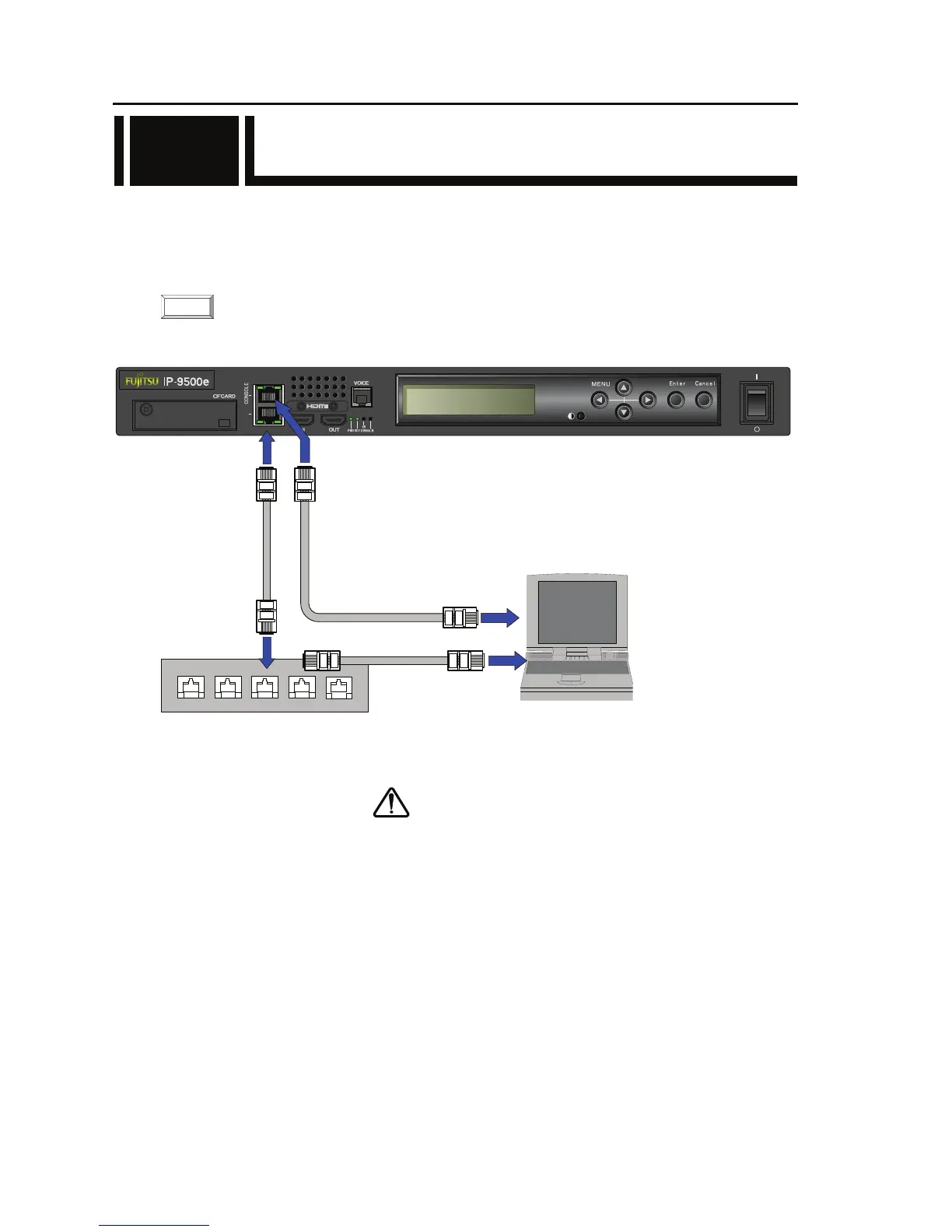
To connect IP-9500e to a LAN device, connect the LAN device to the LAN communication port
[CONSOLE/LAN] of IP-9500e using a LAN cable (UTP cable). The LAN communication port
specification of IP-9500e is 10BASE-T/100BASE-TX /1000BASE-T for CONSOLE and LAN.
The figure below shows the connection method.
For details about connectors and cables, see Section 4.2, “Cable and Connector Details.”
For electrical specifications, see Appendix 2.3, “Function Specifications.”
Figure Connection to a network
Please do not provision the IP address below.
LAN/Console ports;
・ IP address commonly unused(0.0.0.0,255.255.255.255,etc…)
・ Loop back address (127.xxx.xxx.xxx)
・ Class D and Class E addresses
・ IP address already used
Console port only;
・IP address (169.254.xxx.xxx) used when LAN port cannot obtain IP address
normally from PPPoE/DHCP server.
For more information, see IP-9500e Software User’s Guide.
2.4
CAUTION
NOTE:
LINK/ACT
100/1000M
LAN
LINK/ACT
100/1000M
HUB, Router, etc
NETWORK/CONSOLE
CONSOLE
Client PC



 To Next Page